The Hidden Cost of 'Pretty' Resume Templates
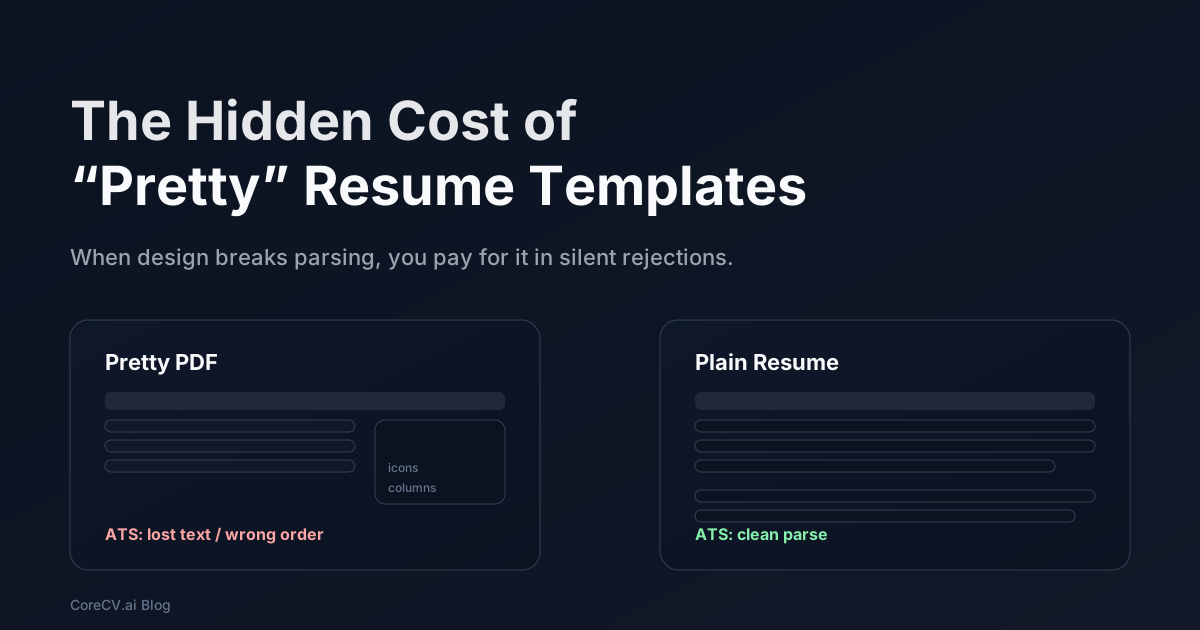
A "pretty" resume template feels like a shortcut. Paste your experience into a modern two-column layout, add a skills sidebar with icons, export a clean PDF, and you are done.
The hidden cost is that many hiring pipelines never see your resume the way you do. They parse it, guess a reading order, index whatever text survived, and only then does a recruiter scan it quickly. If the design breaks that chain, you do not get an error message. You just get silence.
 A resume can look great to you and still fail the screening path.
What templates optimize for (and what employers optimize for)
Most templates optimize for a human reader who is willing to look. They chase balance, novelty, and density: fit more on the page without it feeling cramped.
Many employers, especially larger ones, optimize for a different reality:
- An ATS or parser sees the resume first
- Section headers and dates need to be obvious
- The first human pass is a fast scan, not a careful read
That mismatch is why "pretty" can be expensive.
This is not an argument against design. It is an argument for using design where it helps, and avoiding it where it breaks the pipeline. MIT CAPD is blunt about the typical failure points: elements like tables and text boxes can cause parsing issues in ATS workflows.[1]
The pipeline your resume actually goes through
When you upload a resume, many systems do something like this:
 A typical pipeline: file upload, parsing, indexing, then human review.
The fragile step is the parser. It is trying to infer reading order and meaning from layout. Templates fail here because they use layout tricks that are common in design tools and uncommon in machine-readable documents.
Common ways design breaks parsing
Two-column layouts and visual sidebars are the usual suspects, but the failure modes are predictable:
- Reading order gets scrambled (right column spliced into the middle of left column)
- Section headers are missed, so experience looks like an undifferentiated wall
- Icons replace words (a phone icon becomes nothing)
- Skill bars or dot ratings turn into meaningless characters
Career centers keep repeating the same advice because these failures keep happening: keep layout simple, keep text extractable, and make section labels obvious.[1][2]
The second filter: humans scan
Even when parsing works, your resume still has to survive a human scan. Most people do not read carefully on the first pass. They skim, they pattern-match, and they decide whether the resume is worth a second look.
This is not a recruiting-specific quirk. It is how people consume information in general. Nielsen Norman Group describes scanning patterns where readers prioritize certain regions and pick out keywords instead of reading linearly.[3]
For resumes, the practical implications are simple:
- The top third matters a lot
- Clear section boundaries matter
- The first bullet under your most relevant role carries disproportionate weight
Design that adds friction to scanning is not neutral. It is a tax you pay in missed callbacks.
A practical risk matrix for resume design
If you want design, you need to know where it hurts.
 Keep meaning in text. Treat layout tricks as high risk.
A pragmatic rule is this: if a design element carries meaning, that meaning must also exist as plain text.
Examples:
- If you show skill level with bars, also write the skill plainly (and skip the "level")
- If you use icons for contact info, still include the words (email, phone, location)
- If you use a two-column layout, do not put critical content in the sidebar
What to do instead (without making your resume ugly)
You can make a resume feel modern and still keep it parseable. The baseline that works across most ATS systems and recruiter workflows looks boring for a reason:
- Single column
- Standard section headers (Summary, Experience, Projects, Skills, Education)
- Bullets that are 1-2 lines
- Dates and titles on the same line, consistently formatted
- No tables, no text boxes, no graphics that replace words
If you want a little design, keep it in places that do not change meaning:
- Typography (a clean font)
- Spacing (white space is design)
- Subtle color for headers
Leave these out of your ATS version:
- Columns
- Skill bars
- Charts
- Logos
UNC Charlotte's ATS guidance lands in the same place: structure and readability beat fancy formatting when systems are doing the first pass.[2]
Where CoreCV fits (subtle, but real)
Template problems are usually a symptom of a deeper issue: your resume is treated like a single fragile document instead of stable content you can reuse.
CoreCV's approach is closer to what engineers already do with important information. Keep the facts structured, then generate a clean output. That makes it easier to tailor for roles without creating a forest of inconsistent files.
CoreCV is role-based today. You can generate a backend version and a platform/SRE version without rewriting the underlying facts. When you generate a resume, rename it with context (role + company + date) so you always know what you sent later.
 Structure first, export second. Keep the "pretty" version separate from the ATS version.
A quick checklist: is your template safe?
Before you submit, run a quick sanity check. It is not perfect, but it catches most failures.
- Export to PDF
- Copy all text from the PDF
- Paste into a plain text editor
- Read the pasted output top to bottom
If the pasted output is messy, your ATS parse is likely messy too.
Also check these basics:
- Section headers still look like headers
- Dates and job titles still line up correctly
- Skills are readable text, not symbols
When a designed resume does make sense
There are situations where a designed resume is fine.
- You are sending it directly to a hiring manager who asked for a PDF
- You are applying through a referral and the resume will be forwarded internally
- You are handing it to someone in person
In those paths, the primary reader is a human. Layout can help scanning and memory. The mistake is using the same designed file for every pipeline, because you do not control whether an ATS, a parser, or an email client will flatten it.
A good compromise is to maintain two outputs:
- ATS version: plain, single column, no layout tricks
- Designed version: tasteful typography and spacing, but still text-first
What to remove first (if you are fixing a template tonight)
If you are close to a deadline, do not rebuild your resume from scratch. Remove the highest-risk elements in this order:
- Text boxes and floating shapes
- Two-column sidebars that contain experience bullets
- Tables used for skills
- Icons that replace words
- Progress bars and dot ratings
Then rerun the copy-paste test. If the order is correct and the section headers survive, you are usually in good shape.
The skill section trap
Pretty templates often turn the skill section into a visual infographic. It looks good and it often parses poorly.
A safer skill section for ATS is boring and explicit:
- Languages: Python, TypeScript, Go
- Backend: Postgres, Redis, Kafka
- Cloud: AWS, Terraform, Kubernetes
- Practices: CI/CD, observability, incident response
This is also where structured data helps. When skills are stored in a structured format, you can swap emphasis per role without rewriting and without losing keywords to formatting issues.
A note on privacy and sharing
Some candidates share resumes as editable documents or public drive links. That can be risky.
If you share a resume link, prefer a system where you can control access and avoid multiple uncontrolled copies floating around. CoreCV is built with privacy-aware sharing in mind, which is useful when you are applying broadly and want to limit where your personal data ends up.
The takeaway
Pretty templates are not evil. They are optimized for a different reader.
If you want interviews, optimize for the actual pipeline: make the resume parseable, make it scannable, put proof and metrics first, and reserve heavy design for situations where you control the reader.
Sources
1. MIT Career Advising and Professional Development (CAPD). "Make your resume ATS-friendly." https://capd.mit.edu/resources/make-your-resume-ats-friendly/
2. UNC Charlotte Career Center. "ATS and Guide to Resumes in 2025." https://career.charlotte.edu/blog/ats-and-guide-resumes-2025
3. Nielsen Norman Group. "F-Shaped Pattern of Reading on the Web" (eyetracking research). https://www.nngroup.com/articles/f-shaped-pattern-reading-web-content/