Optimizing Your LinkedIn Profile for Tech Recruiters
LinkedIn is not your resume. It is closer to a searchable database plus a landing page.
If you treat it like a copy-paste job, you end up with the worst of both worlds: a profile that is too long to scan, too vague to trust, and still missing the keywords recruiters search for.
This guide shows a practical way to fix that: make it easier for a recruiter to find you in search, then make the first screen credible enough that a hiring manager believes you.
The two filters you are writing for
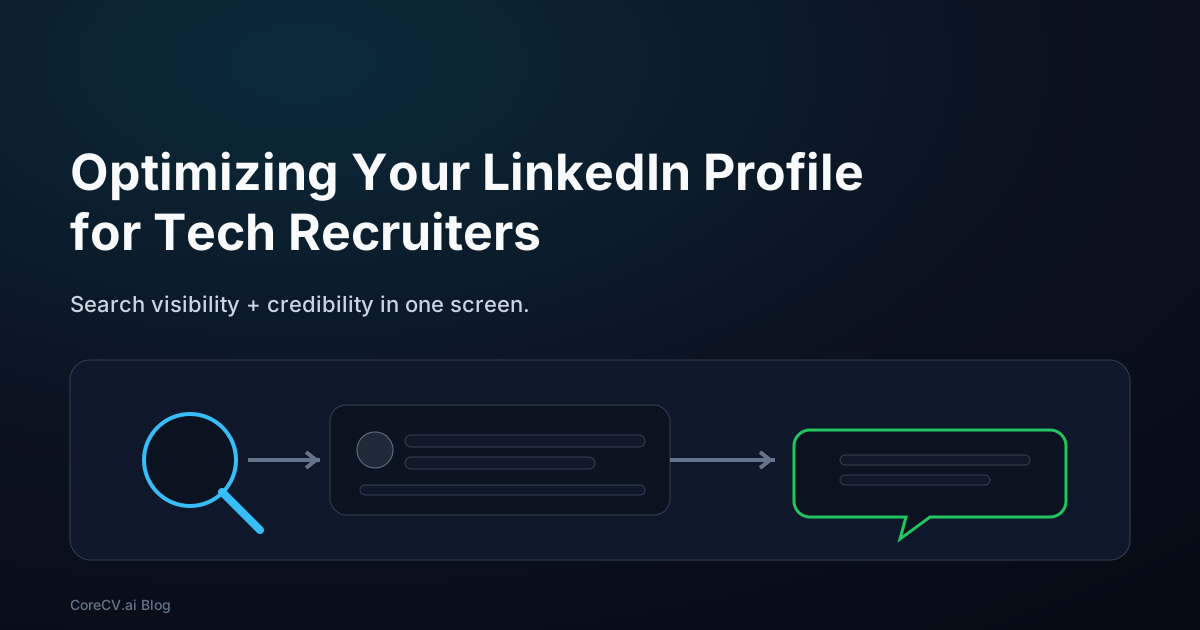
A recruiter workflow usually looks like this:
- search for a role with keywords and filters
- open a handful of profiles
- do a quick scan and decide who is worth messaging
LinkedIn Recruiter itself advertises exactly that model: search plus dozens of filters, then outreach tools layered on top. [1]
So you are optimizing for two things at once:
- Search: do the right words exist in the right places?
- Scan: does the top of the profile make a clear, credible case?
 Search narrows the pool. The scan decides who gets contacted.
1) Choose a target role (and commit to it for a few weeks)
A profile that tries to match every role matches none. The fastest way to waste LinkedIn is writing a headline that could apply to 40 different jobs, because recruiters search for specific titles and specific keywords.
Pick one target role for the next 4-6 weeks. If you are applying to two roles (say backend and platform), pick a primary and a secondary. Your profile can support both, but the headline and the first screen should lead with one.
2) Rewrite the first screen for search and scan (headline + About)
Most headlines fail in one of two ways: they are too generic ("Software Engineer"), or they are full of vague branding ("Passionate problem solver"). Neither one helps a recruiter find you in search or trust you in a scan.
A headline that works does three things:
- states your role
- adds a niche (domain or focus)
- includes one proof phrase (scope or outcome)
 Role + niche + proof phrase beats buzzwords.
Examples that read like a human:
- Backend Engineer | API Reliability + Performance | Cut p95 latency 40%
- Platform / SRE | Incident Response + Observability | Reduced MTTR 35%
- Data Engineer | Kafka + Warehouses | Built pipelines with 99.9% SLA
Two rules that keep you out of trouble:
- Use the words recruiters actually type. If your target role is "Platform Engineer" and your headline says "Infrastructure Wizard," you are paying an unnecessary tax.
- Do not hide the level. If you are senior, say senior. If you are staff, say staff. Recruiters filter by seniority.
Your About section should back up the headline. Before you write it, decide which terms you want to be found for, then place them where they actually do work.
 Put keywords in the sections that both search and humans look at first.
Where people go wrong is turning the About section into a keyword dump. It reads like spam and it does not add credibility, because it gives the reader no reason to believe you.
A good About is not your life story; it is 6-10 lines that make the match obvious:
- line 1: role + domain focus
- next lines: 2-3 proof bullets with numbers
- one line: core technologies (only the ones you can back up)
- final line: what roles you want next
Example (pattern, not copy):
"Backend engineer focused on reliability and performance for customer-facing APIs.
- Owned on-call for 6 services; reduced MTTR 35%.
- Shipped latency wins (p95 down 40%) on a high-traffic checkout system.
Core stack: Go, Postgres, Redis, Kubernetes, AWS.
Open to backend roles where reliability and scale matter."
3) Make your claims believable (skills, experience, and Featured)
LinkedIn has moved away from Skill Assessments and explicitly says it heard from hirers that examples of how a candidate applied skills are more valuable. LinkedIn also points to connecting skills to jobs, projects, or education directly on your profile. [2]
That is a useful north star: your profile should read like a set of claims with receipts.
Start with skills. The goal is not to collect 99 skills; the goal is to make your top skills believable.
A practical approach:
- pick 15-30 skills that match your target role
- make sure each top skill has proof in Experience or Projects
- keep the list consistent with your resume (same naming, same emphasis)
 Skills become credible when they point to proof.
Then tighten Experience. Recruiters do read it, but they are not reading for perfect formatting; they are scanning for scope, outcomes, and consistency.
Keep each role tight:
- 1 line: what the team/product does
- 3-5 bullets: your strongest outcomes
- 1 line: tech stack, only if relevant
Finally, use the Featured section as your proof shelf. If a recruiter is on the fence, Featured can tip it by showing you can ship and explain your work.
Good Featured items tend to be:
- one strong GitHub repo with a readable README
- a portfolio project page (with constraints and results)
- a technical write-up (tradeoffs, lessons learned, or a postmortem)
If you only add one thing, add a single project write-up that makes your scope and decisions obvious.
4) Add social proof (recommendations) and assume people will find you via Google
Most recommendations are polite and forgettable. When you ask for one, ask for a narrow slice of evidence so the recommendation contains real signal. For example:
"Could you write 3-5 sentences about the incident-response work we did in Q3, specifically the MTTR reduction and how I handled on-call follow-ups?"
Two or three recommendations like that beat ten generic ones.
Also remember that LinkedIn is not only searched inside LinkedIn. People will open your profile directly from Google, Slack, email, and forwarded messages, so the first screen has to make sense even without context.
Google Search Central describes how snippets are generated primarily from on-page content, and may use the meta description when it describes the page well. [3]
You do not control everything about how LinkedIn renders, but you do control what your headline and first lines of About say. Make them literal, not poetic.
A weekly maintenance routine (15 minutes)
This is what keeps your profile from going stale:
- check your headline still matches your target role
- add one new proof item to Featured (a project update, a write-up, a repo improvement)
- prune skills that are not relevant to the roles you want next
- update one experience bullet with a real number you can defend
Consistency beats reinvention.
The takeaway
A recruiter-friendly LinkedIn profile is not about tricks; it is about reducing uncertainty.
Write for search and scan, then make your claims easy to believe. Use a headline that matches the role, make your About section proof-driven, and treat skills as claims that must point to evidence.
One last note: people do not read profiles carefully — they skim. Nielsen Norman Group summarizes that web users rarely read word-by-word and instead scan for individual words and cues. [5]
Design your top section for that reality.
Sources
1. LinkedIn. "LinkedIn Recruiter" (product page; search + filters + outreach features). https://business.linkedin.com/hire/recruiter
2. LinkedIn Help. "LinkedIn Skill Assessments" (notes Skill Assessments discontinued; emphasis on examples and connecting skills to jobs/projects/education). https://www.linkedin.com/help/linkedin/answer/a507663
3. Google Search Central. "Control your snippets in search results" (snippets and meta descriptions). https://developers.google.com/search/docs/appearance/snippet
4. LinkedIn Economic Graph. "LinkedIn's Economic Graph" (workforce/skills framing). https://economicgraph.linkedin.com/
5. Nielsen Norman Group. "How Users Read on the Web" (scanning behavior). https://www.nngroup.com/articles/how-users-read-on-the-web/