Design vs. Content: What Matters Most in a Tech Resume
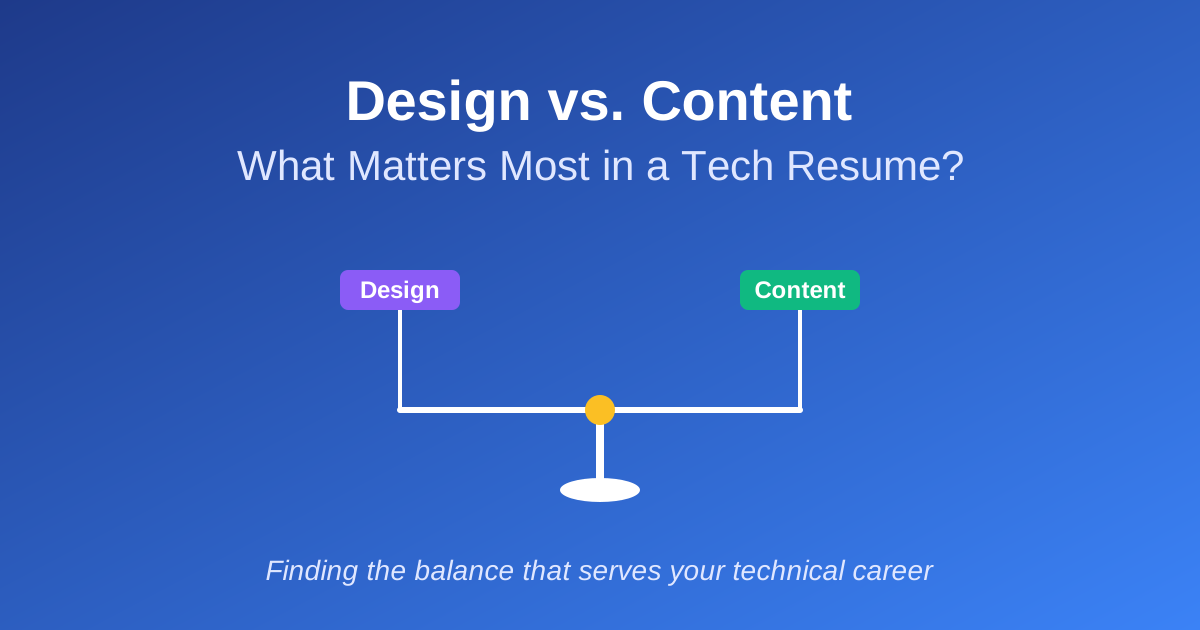
The debate over resume design versus content often devolves into false binaries: either you need a visually stunning resume to stand out, or design is completely irrelevant and only content matters. Both extremes miss the point. The real question isn't whether design matters - it's what kind of design serves your content, and when design choices actively work against you.
For tech professionals, this distinction is critical. Your resume needs to communicate technical depth, project complexity, and problem-solving ability. Design can either facilitate that communication or obstruct it. Understanding where design helps, where it hurts, and how to apply structural principles that enhance readability will determine whether your resume works for you or against you.
The False Binary: Design vs. Content
Design purists argue: A well-designed resume demonstrates attention to detail, professionalism, and an understanding of user experience. It signals that you think holistically about presentation, not just code.
Content purists argue: Recruiters care about what you've built, not how pretty your PDF looks. Design is a distraction. Focus entirely on technical depth, impact, and clear descriptions.
Reality: Both perspectives contain truth, but neither is complete. The most effective tech resumes recognize that design serves content. When design choices improve clarity, scannability, and information hierarchy, they strengthen your resume. When design becomes decorative, visually complex, or prioritizes aesthetics over readability, it weakens your resume.
The goal isn't to choose between design and content. It's to use structural design principles - whitespace, hierarchy, consistency - to make your content more accessible.
 The spectrum between over-designed and under-designed resumes: most effective tech resumes fall in the middle, prioritizing structured readability
Where Design Helps: Structure and Readability
1. Visual Hierarchy Guides Attention
Effective design uses headings, font sizes, and spacing to create clear information hierarchy. This helps hiring managers quickly identify the most important information.
What works:
- Bold section headings that clearly separate experience, skills, and projects
- Consistent formatting for job titles, companies, and dates
- Strategic use of whitespace to prevent visual overwhelm
Why it matters: Hiring managers spend an average of 7.4 seconds scanning resumes during initial review. [1] Clear visual hierarchy ensures they see your strongest qualifications in that narrow window.
2. Whitespace Improves Scannability
Dense walls of text are hard to scan. Strategic whitespace makes content more readable without sacrificing information density.
Example of poor spacing:
Senior Software Engineer | TechCorp | 2021-Present
Built scalable microservices architecture using Python, FastAPI, PostgreSQL, Redis, Docker, and Kubernetes. Migrated monolithic application to event-driven system processing 5M+ events/day. Reduced latency by 60% and improved system reliability to 99.95% uptime. Led team of 4 engineers. Implemented CI/CD pipelines using GitHub Actions and automated deployment processes.
Example with proper spacing:
Senior Software Engineer | TechCorp | 2021-Present

- Built scalable microservices architecture using Python, FastAPI, PostgreSQL, Redis, Docker, and Kubernetes
- Migrated monolithic application to event-driven system processing 5M+ events/day
- Reduced latency by 60% and improved system reliability to 99.95% uptime
- Led team of 4 engineers, implementing CI/CD pipelines with automated deployment
The second example is easier to scan and highlights individual accomplishments more clearly.
3. Consistent Formatting Reduces Cognitive Load
When formatting is consistent - same font sizes for job titles, same bullet structure for accomplishments - readers can focus on content instead of figuring out your organizational logic.
Design elements that support readability:
- Consistent date formats (e.g., "Jan 2023 - Present" or "2023-Present")
- Uniform bullet point structure across all roles
- Clear distinction between section headers and content
- Predictable placement of key information
 Design elements that improve readability: hierarchy, whitespace, and consistency working together to guide the reader's eye
Where Design Hurts: Decoration Over Function
1. Visual Complexity That Distracts
Overly designed resumes - with color gradients, graphics, icons, charts, sidebars, and complex layouts - often prioritize aesthetics over communication. This creates three problems:
Problem 1: ATS Parsing Failures
Applicant Tracking Systems (ATS) parse resumes into structured data. Complex layouts confuse parsers, leading to missing information or misclassified content. [2]
Problem 2: Cognitive Overload
When hiring managers scan your resume, visual complexity forces them to decode your design before they can evaluate your content. You've added friction to the evaluation process.
Problem 3: Misaligned Signals
For technical roles, visual flourishes can signal that you prioritize appearance over substance. Unless you're applying for design-adjacent roles (frontend, UX engineering), elaborate design rarely helps and often hurts.
2. Non-Standard Layouts That Break Mental Models
Recruiters and hiring managers expect resumes to follow predictable patterns:
- Contact info at the top
- Experience listed reverse-chronologically
- Skills and education in clearly labeled sections
When you deviate from these conventions - putting experience in sidebars, splitting sections across columns, using unconventional ordering - you force readers to work harder to find information.
Example of problematic layout choices:
- Two-column layouts that break ATS parsing
- Skills listed as visual progress bars instead of text
- Job descriptions split across non-contiguous sections
- Creative section names that obscure content (e.g., "My Journey" instead of "Experience")
3. Design That Obscures Technical Depth
Some design choices actively hide the technical complexity you're trying to communicate.
Example: Listing technologies as icon grids instead of contextual descriptions.
Icon grid approach:
[React icon] [Node icon] [Python icon] [AWS icon] [Docker icon]
Contextual approach:
"Architected microservices platform using Node.js and Python, deployed on AWS with Docker and Kubernetes, serving 2M+ requests/day."
The second approach provides context, scale, and technical decision-making - all invisible in the icon approach.
 Common design mistakes that obscure content: visual complexity, non-standard layouts, and decorative elements that add no informational value
The Real Principle: Structured Readability
The most effective tech resumes don't prioritize "design" in the aesthetic sense. They prioritize structured readability - the intelligent use of formatting to make content clear, scannable, and easy to evaluate.
Core Principles of Structured Readability
1. Information Hierarchy
Your resume should have a clear structure:
- Section headers (H1 equivalent): Experience, Skills, Education, Projects
- Subsection headers (H2 equivalent): Job titles, company names
- Body content: Bullet points describing accomplishments
Use font size, weight, and spacing to make this hierarchy obvious at a glance.
2. Predictable Patterns
Use consistent formatting so readers know what to expect:
- Same format for all job listings (title, company, dates, bullets)
- Same bullet point structure (action verb + technical detail + impact)
- Same date formatting throughout
3. Optimal Information Density
Balance content richness with whitespace:
- Too sparse: Wastes space, looks padded
- Too dense: Overwhelming, hard to scan
- Just right: 60-70% text coverage with strategic whitespace
4. ATS Compatibility
Ensure your resume parses correctly:
- Standard fonts (Arial, Calibri, Helvetica, Times New Roman)
- Simple layouts (single column, clear section breaks)
- Text-based content (no information embedded in images)
- Standard section headers
For a deeper dive into ATS optimization strategies, see our guide on beating the bots. For a UX-centered perspective on hierarchy and cognitive load, read design your resume like a product.
 The four pillars of structured readability: hierarchy, patterns, density, and ATS compatibility
Practical Guidance: Finding the Balance
For Entry-Level Candidates
What matters most: Clear project descriptions, technical depth, and structure.
Design priorities:
- Clean, single-column layout
- Clear section separation
- Consistent bullet formatting
- Readable fonts (11-12pt body text)
Avoid:
- Creative layouts to "stand out"
- Visual charts showing skill proficiency
- Over-designed templates from Canva or Adobe
For Mid-Career Professionals
What matters most: Technical accomplishments, leadership, and impact metrics.
Design priorities:
- Professional, straightforward formatting
- Emphasis on results (bold key metrics)
- Sufficient whitespace for dense content
- Clear visual breaks between roles
Avoid:
- Cramming too much content into limited space
- Over-decorating with color or graphics
- Inconsistent formatting across roles
For Senior Engineers and Technical Leaders
What matters most: Architectural decisions, team leadership, business impact.
Design priorities:
- Information hierarchy that emphasizes leadership
- Strategic use of bold for high-impact accomplishments
- Professional tone through clean formatting
- Easy navigation between sections
Avoid:
- Visual gimmicks that undermine gravitas
- Inconsistent formatting that suggests lack of attention to detail
- Dense paragraphs instead of scannable bullets
When Design Matters More: Frontend and UX Roles
For roles where visual design is part of the job - frontend engineers, UX engineers, product designers - your resume design itself becomes a work sample.
In these cases:
- Well-executed visual design demonstrates core competency
- Clean, modern aesthetics signal current design trends
- Thoughtful typography and spacing show attention to UX
But even here:
- ATS compatibility remains critical
- Readability must come first
- Over-design still signals poor judgment
Tools and Templates: What to Use
Plain Text and Markdown
For maximum ATS compatibility and structural clarity, consider text-based formats:
- Plain text resumes: Ultimate ATS compatibility, complete control over structure
- Markdown-based systems: Separation of content and formatting, easy updates
- LaTeX templates: Professional typesetting, consistent formatting
At CoreCV.ai, we use a JSON-based resume system that separates content from presentation. This allows you to maintain a single source of truth while generating multiple formats - all with consistent, clean formatting optimized for both ATS and human readability.
Word Processors and Google Docs
If using traditional tools:
- Start with clean, built-in templates
- Avoid heavily designed third-party templates
- Focus on consistent formatting over visual flourishes
- Export to PDF for final submission
What to Avoid
- Canva templates with complex graphics
- Templates with sidebars or multi-column layouts
- Design-heavy templates from portfolio sites
- Anything that embeds critical information in images
Testing Your Resume's Balance
Use these checks to evaluate whether your design serves your content:
The 7-Second Test
Have someone unfamiliar with your background scan your resume for 7 seconds. Ask them to identify:
- Your most recent role
- Your primary technical skills
- One major accomplishment
If they can't extract this quickly, your design isn't serving your content.
The ATS Test
Run your resume through free ATS simulators like Jobscan or Resume Worded. If key information is missing or misclassified, your design is failing.
The Print Test
Print your resume in black and white. Does the hierarchy still work? Are sections clearly separated? If your resume relies on color for structure, it won't work in all contexts.
The Bullet Test
Count your bullet points. Each role should have 3-5 focused bullets. If you have more, you're likely being verbose. If you have fewer, you may be under-communicating impact.
The CoreCV.ai Approach: Design and Structure Working Together
At CoreCV.ai, we've built our platform around the principle that design should amplify content, not compete with it. Our approach is opinionated by design:
- Consistent formatting is built-in - no manual wrestling with alignment and spacing
- ATS-friendly layouts are the default - structure that parses correctly every time
- Content and presentation are separated using JSON structure for maximum flexibility
- Clean, scannable PDFs emerge automatically - optimized for both ATS and human readers
This isn't design as decoration or structure without polish. It's an integrated system where thoughtful design choices serve your content from the ground up.
Conclusion: Design Is a Tool, Not a Goal
The question isn't "Does design matter?" - it's "What kind of design serves your content?"
For tech professionals, the answer is clear: structured, readable design that prioritizes clarity over aesthetics. Use whitespace to improve scannability. Maintain consistent formatting to reduce cognitive load. Create clear visual hierarchy so hiring managers can quickly identify your strongest qualifications.
But avoid the trap of over-designing. Visual complexity, decorative elements, and non-standard layouts rarely help and often hurt. Your resume is a technical document, not a portfolio piece - unless you're in a design-focused role where visual execution itself is a signal of competency.
The most effective approach recognizes that design and content aren't opposites - they're collaborators. When design choices support content by making it clearer, more structured, and easier to evaluate, your resume works. When design obscures content or prioritizes aesthetics over communication, your resume fails.
Choose structure over style. Prioritize readability over visual impact. Let your technical accomplishments speak for themselves.
Ready to build a resume with structured readability? Try CoreCV.ai for ATS-friendly formatting, consistent structure, and AI-powered content optimization.
Sources
- 1. The Ladders: Recruiters Spend Only 7.4 Seconds Reading Your Resume: https://www.theladders.com/press/recruiters-spend-only-7-seconds-reading-your-resume
- 2. Indeed: How ATS Systems Work and How to Optimize Your Resume: https://www.indeed.com/career-advice/finding-a-job/what-is-an-ats-resume
- 3. Harvard Business Review: How to Write a Resume That Stands Out: https://hbr.org/2024/08/how-to-write-a-resume-that-stands-out
- 4. Jobscan: Resume Design - What Matters and What Doesn't: https://www.jobscan.co/blog/resume-design/
- 5. TopResume: Resume Formatting Tips That Will Get You Hired: https://www.topresume.com/career-advice/resume-formatting-tips---
Disclosure: This article is authored by the CoreCV team. While we mention CoreCV.ai, the strategies and advice presented apply to any modern resume approach. We've focused on providing balanced insights based on ATS research and hiring manager feedback.