The Best AI Candidates Know When to Stop and Ask
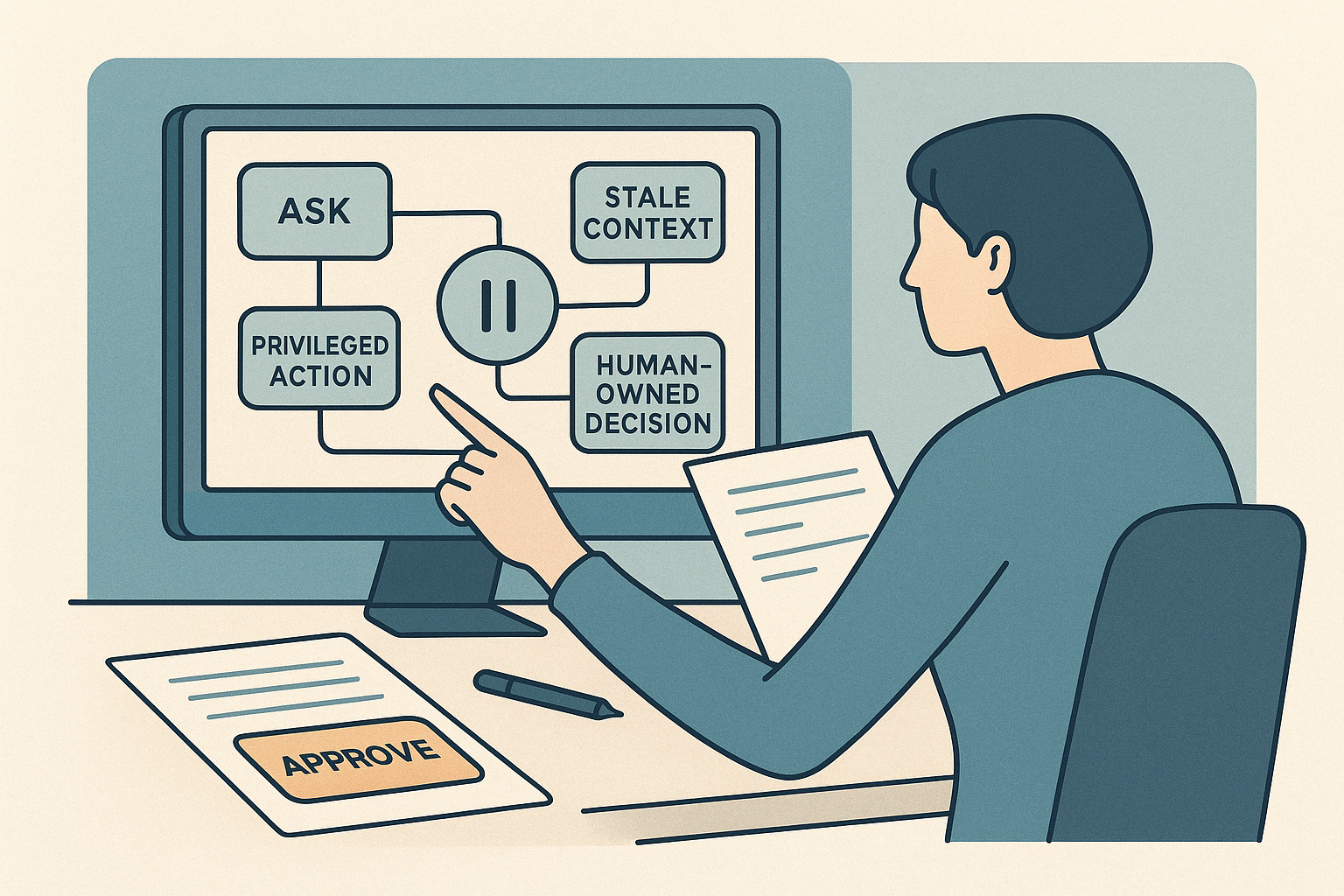
The strongest AI candidates are rarely the ones who brag that they let the agent run for hours. They are the ones who can say, concretely, where they stopped it, what they made it verify, and which decisions stayed human-owned.[1][2][3]
That sounds slower until you compare the outcomes. "Used AI agents to speed up deployment work" is generic. "Built an AI-assisted deployment workflow that checked current vendor docs before generating scripts, paused when credentials or production settings were involved, and kept final rollout decisions with a human owner" is legible. It shows judgment, not just tool usage.
That difference matters more now because the systems are getting more capable. A recent Codex example shows an agent planning, editing files, running checks, repairing failures, and continuing through a long loop of work.[4] Microsoft shows a separate but equally important failure mode: the same agent can look competent while acting on stale documentation unless the workflow forces a fresh grounding step first.[5] Once polished output is cheap, the stronger hiring signal is whether you know when to interrupt the workflow.
If you already have one real AI-assisted accomplishment and need help tailoring how much of that workflow detail to surface, CoreCV's resume builder is useful for keeping your base resume facts stable, changing the emphasis for engineering, platform, infra, or technical product roles, and then fine-tuning that version against a specific job description or job URL.
Why this signal is getting stronger now
The pattern is becoming easier to see across both product design and research. Visual Studio now treats clarifying questions and plan review before implementation as part of the product, not a polite extra.[3] Anthropic's recent engineering writing makes the other side plain: approval fatigue is real, users approve most prompts anyway, and the risk changes when capable agents can act inside real environments with meaningful access.[1][2]
Microsoft Research frames this as a collaboration problem. Good collaboration depends on common ground, clarifying questions, and selective delegation, yet current systems often skip those moves unless the workflow forces them back in.[6] That is why asking better questions is starting to read as technical maturity rather than hesitation.
There is also a harder edge to it. Microsoft Research's DELEGATE-52 work found that even strong frontier models can quietly degrade artifacts across long delegated workflows.[7] Anthropic's long-running harness design notes a related problem: agents can lose coherence over time and rate their own work too generously.[9] So the practical hiring translation is simple: "I used AI" keeps getting cheaper. "I knew when the AI needed a question, a fresh check, or a handoff" keeps getting more valuable.
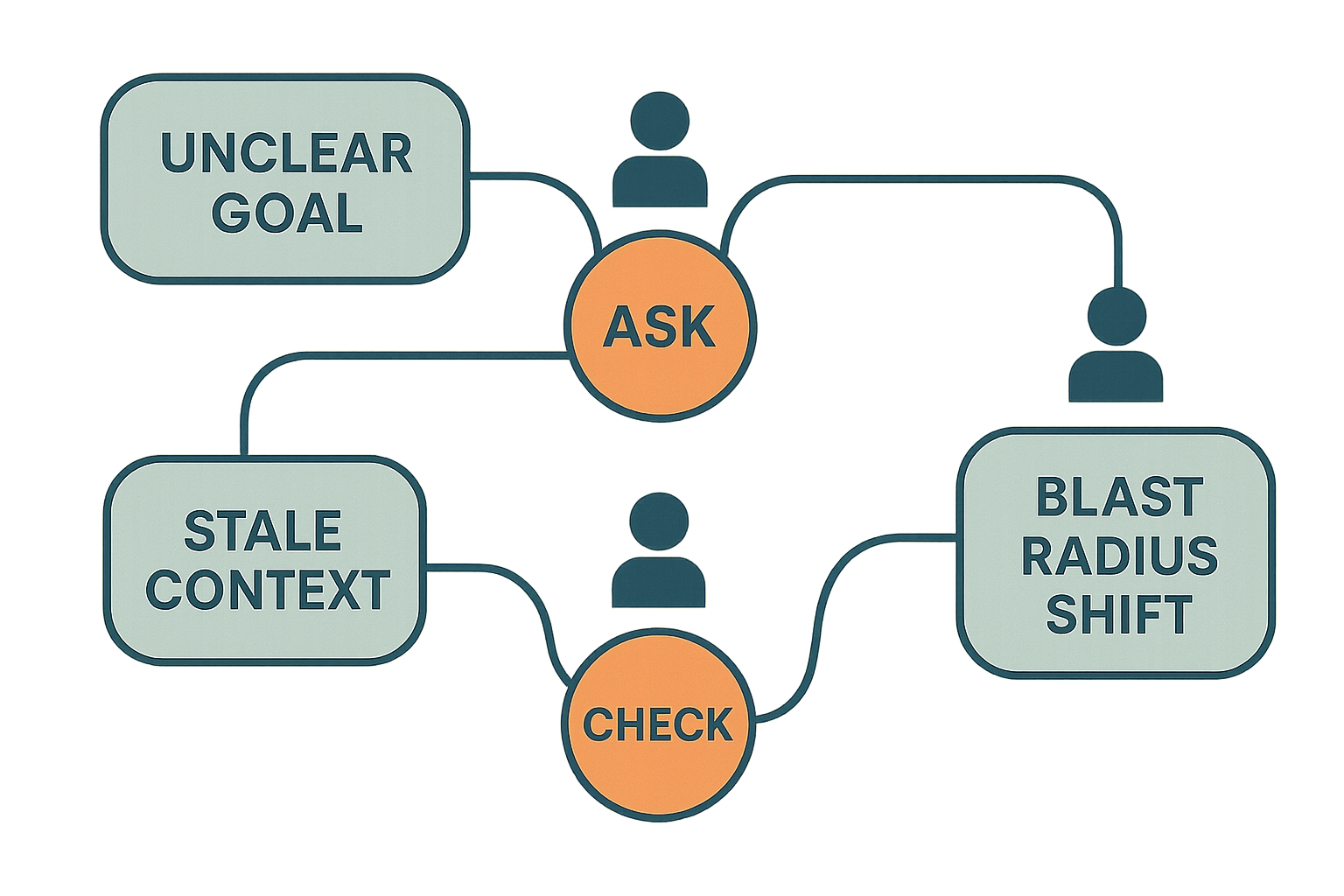 Stronger AI work stays useful because it knows where to slow down.
The pause points that matter most
The best examples usually make four pause points visible.
1. Pause when the goal is underspecified
This is still the most underrated one. A vague instruction plus a capable agent can be worse than a vague instruction plus a junior human because the system moves faster and looks coherent for longer before anyone notices the mistake. Visual Studio's Plan agent starts by clarifying the task, refining the plan, and letting the user review it before implementation begins.[3]
Good candidate language here is plain: we did not let the system guess what "clean up," "ship," or "cancel" meant when the target was ambiguous. Anthropic's auto-mode examples show how often the real danger is not malice but overeager initiative beyond what the user actually authorized.[1]
2. Pause when the context may be stale
A lot of AI work breaks here. The issue is not generation quality in the abstract. It is whether the workflow checks a current source of truth before acting.
Microsoft's Learn MCP example is a clean demonstration. Same model, same task, different result because one workflow checked current documentation first while the other relied on a once-correct but outdated API pattern.[5] The grounded path reached a working script immediately. The ungrounded one wasted time debugging and still aimed at the wrong surface.
That is not just a tooling lesson. It is a hiring lesson. Strong candidates show that they knew when fresh context mattered more than a fast first draft.
3. Pause when the blast radius changes
This is where approval logic becomes real judgment instead of compliance theater.
Anthropic makes two useful points here. Users approve most prompts anyway, so endless clicking is not meaningful supervision.[1] And once agents can use real tools, credentials, or shared environments, the main question is not whether an error can happen. It is how much damage one bad step can do.[2]
The better candidate story is not "we left approvals on." It is "we decided which actions required review, which boundaries kept the blast radius down, and which calls stayed human-owned even when the system looked capable."
4. Pause when the system is representing someone else's interests
This is the pause point many candidates still miss. Once an agent is scheduling, negotiating, triaging, or communicating on someone else's behalf, task completion stops being the only standard.
Microsoft Research's SocialReasoning-Bench is useful because it measures both outcome quality and due diligence. Current frontier models often complete the task while still accepting suboptimal meeting times or weak deals for the user.[8] If your workflow touched customer communication, vendor coordination, or stakeholder-facing decisions, hiring teams want evidence that you protected user intent instead of just getting to done.
What hiring teams infer from this
When you describe these pause points well, you are not just giving process detail. You are showing how you think.
Saying that the workflow asked clarifying questions before execution signals comfort with ambiguity. Saying that it checked current docs or runbooks before choosing a path signals grounding discipline.[5] Saying that destructive actions, credential use, or external sharing paused for review signals trustworthiness and blast-radius awareness.[2] And if the system acted on someone else's behalf, explaining how you protected that person's interests signals a more mature standard than simple completion.[8]
The opposite impression forms quickly too. If the story sounds like the agent ran freely until it produced something useful, the listener may hear speed, but they may also hear thin ownership. Long delegated workflows can drift, degrade, and still look productive on the surface.[7][9]
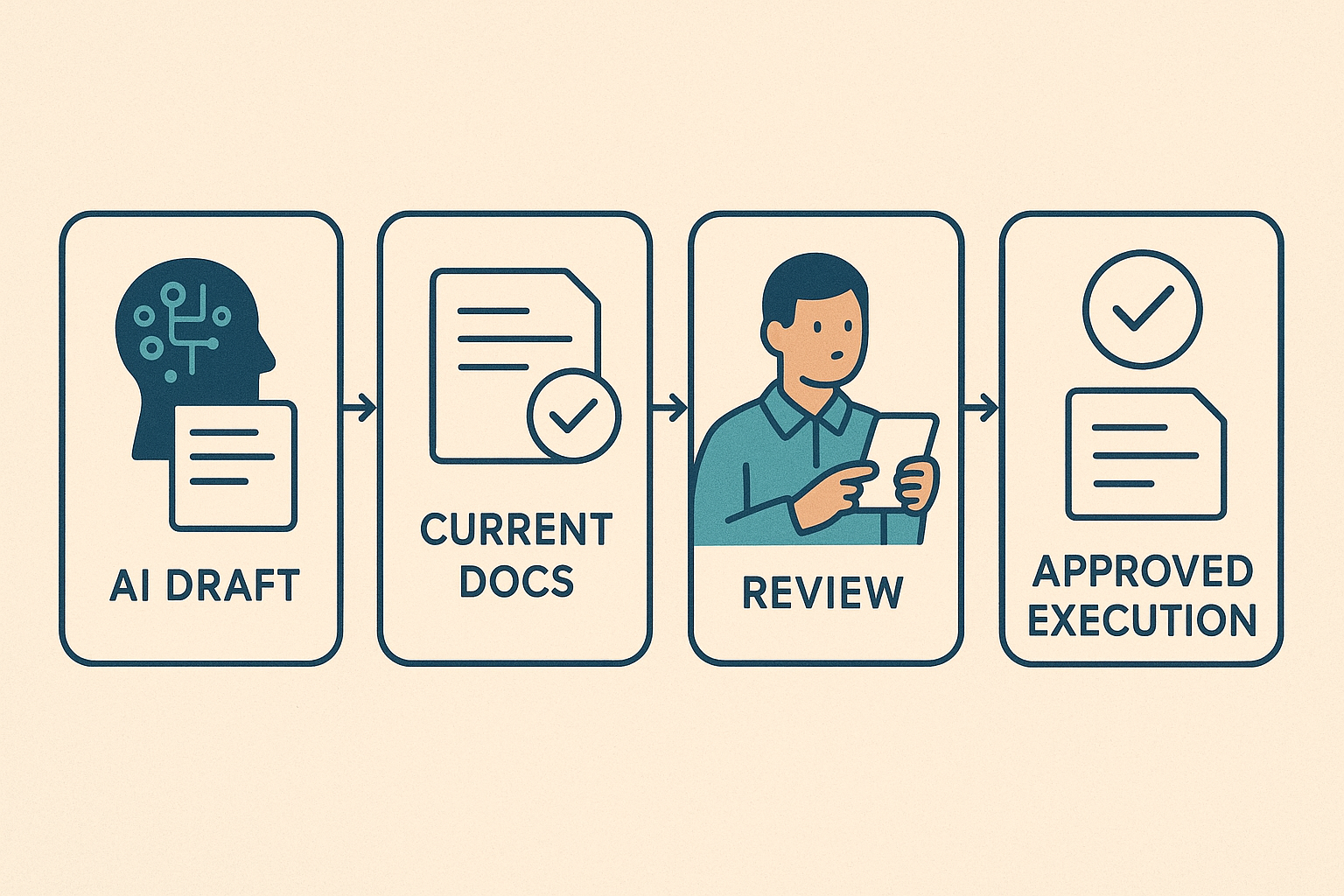 The pause points are the part that turns automation into trustworthy work.
How to make this legible on a resume
A good bullet compresses the task, the pause point, and the ownership boundary.
Weak:
Used AI to automate support and deployment workflows.
Stronger:
Designed an AI-assisted support and deployment workflow that asked follow-up questions on vague requests, checked current docs before script generation, and kept production-impacting actions approval-gated.
Stronger for stakeholder-facing work:
Built an AI-assisted vendor and support triage workflow that verified current policy before responding, escalated edge cases to humans, and avoided auto-sending messages when customer intent or commercial risk was unclear.
The important shift is that the bullet does not stop at tool usage. It shows where judgment entered the workflow.
How to make this legible in a portfolio
A portfolio case study has room to show the control logic behind the result. The simplest structure is still the best one: what the system could do on its own, what made it ask a follow-up question, what made it check a live source of truth, what triggered approval, what forced a handoff, and how you tested whether the workflow held up over repeated runs.
That last part matters. If a case study only shows one clean pass, it still leaves the hardest question unanswered: did the workflow stay trustworthy as the task length, document size, or context complexity increased?[7][9] OpenAI's eval guidance makes the companion point that reliable workflows need explicit success criteria, captured runs, and concrete checks instead of a vague sense that one version felt better.[10] The olmo-eval workbench pushes the same idea from the measurement side: compare checkpoints, watch error bars, and separate real gains from noise.[11]
For a good companion read, Grounded and Measurable AI Work Is Becoming a Hiring Signal pairs well with this one.
How to say it in interviews without sounding defensive
A good interview answer makes the pause logic sound normal.
"AI handled the first pass, but the important part of the workflow was deciding when it had to stop. We made it ask follow-up questions when the request was vague, check current docs when the environment might have changed, and pause for approval before anything production-impacting or trust-sensitive. When it was acting on someone else's behalf, we kept exceptions and stakeholder-facing decisions with a human owner. My job was not just to make it faster. My job was to make it safe to trust."
That works because it keeps the accomplishment grounded in workflow design, not hype.
If you want the interview-specific companion, read How to Talk About AI Tool Use in Interviews Without Sounding Reckless.
What to rewrite this week
Take one AI bullet, one AI project summary, or one interview story and tighten it around the stop points that actually mattered: what had to be clarified, what current source had to be checked, which actions stayed behind approval, what triggered escalation, whose interests needed protection, and what part of the final result remained human-owned.
If your current wording cannot answer those questions, the signal is still too vague.
This article also fits into a larger pattern. The New AI Career Signal: Can You Steer and Verify AI Work? covers delegated workflow ownership. Security-Aware AI Tool Use Is Becoming a Hiring Signal covers guardrails and boundaries. Which AI Skills Actually Help You Get Hired in 2026 gives the wider market frame. Taken together, the direction is clear: employers are moving past generic AI fluency and toward visible judgment.
The bigger point
As AI systems get more capable, candidates do not stand out by sounding most willing to hand work over. They stand out by making it clear that they know when automation should slow down, ask a better question, refresh its context, protect the user's interests, or stop before the blast radius changes.
That is easier to trust, and trust is the part hiring teams are short on.
If you want more weekly breakdowns like this, follow the AI Career Signals archive for practical guidance on resumes, portfolios, interviews, and AI-assisted work.
Disclosure: This article is authored by the CoreCV team. While we mention CoreCV.ai, the strategies and advice presented here are intended to be useful whether or not you use our product.
Sources
- Anthropic Engineering, How we built Claude Code auto mode: a safer way to skip permissions: https://www.anthropic.com/engineering/claude-code-auto-mode
- Anthropic Engineering, How we contain Claude across products: https://www.anthropic.com/engineering/how-we-contain-claude
- Visual Studio Blog, Plan Before You Build: Introducing the Plan agent in Visual Studio: https://devblogs.microsoft.com/visualstudio/plan-before-you-build-introducing-the-plan-agent-in-visual-studio/
- OpenAI Developer Blog, Run long horizon tasks with Codex: https://developers.openai.com/blog/run-long-horizon-tasks-with-codex
- Microsoft Developer Blog, Improve your agentic developer tools by grounding in Microsoft Learn: https://developer.microsoft.com/blog/improve-your-agentic-developer-tools-by-grounding-in-microsoft-learn
- Microsoft Research Blog, New Future of Work: AI is driving rapid change, uneven benefits: https://www.microsoft.com/en-us/research/blog/new-future-of-work-ai-is-driving-rapid-change-uneven-benefits/
- Microsoft Research, LLMs Corrupt Your Documents When You Delegate: https://www.microsoft.com/en-us/research/publication/llms-corrupt-your-documents-when-you-delegate/
- Microsoft Research Blog, SocialReasoning-Bench: Measuring whether AI agents act in users' best interests: https://www.microsoft.com/en-us/research/blog/socialreasoning-bench-measuring-whether-ai-agents-act-in-users-best-interests/
- Anthropic Engineering, Harness design for long-running application development: https://www.anthropic.com/engineering/harness-design-long-running-apps
- OpenAI Developer Blog, Testing Agent Skills Systematically with Evals: https://developers.openai.com/blog/eval-skills
- Hugging Face Blog, olmo-eval: An evaluation workbench for the model development loop: https://huggingface.co/blog/allenai/olmo-eval