"Under Review" Is a Workflow Label, Not a Forecast: How to Read Job Application Statuses

"Under review" usually means your application is still somewhere in an employer's review workflow. It does not tell you who has opened it, how many candidates are ahead of you, when a decision will happen, or whether you will advance. Read it as a record of process, not a forecast of outcome.
That distinction matters because similar words can come from different systems and actions. Indeed, for example, distinguishes labels set by the platform from updates made by employers and statuses maintained by candidates themselves.[1] A candidate portal may show a simplified phrase while the recruiting team works with more detailed, employer-configured stages behind it.
Start with the smallest defensible meaning
Use this glossary as a boundary, not a translation key for every employer:
- Submitted or applied: The system recorded the application. It does not confirm that a person has read it.
- In progress: The application or process is still open in the system. The phrase may describe candidate tasks, internal work, or a broad active state.
- Under review: The application is associated with a review step. It may not reveal whether the reviewer is a recruiter, hiring manager, or another team member.
- Interview: An interview step has been created or recorded. Use the invitation itself for the date, format, and preparation details.
- Not selected: The employer or platform has recorded that the application will not continue for that role.
- Job closed: The posting or requisition is no longer open. That is a job-level state, not always an application-level decision.
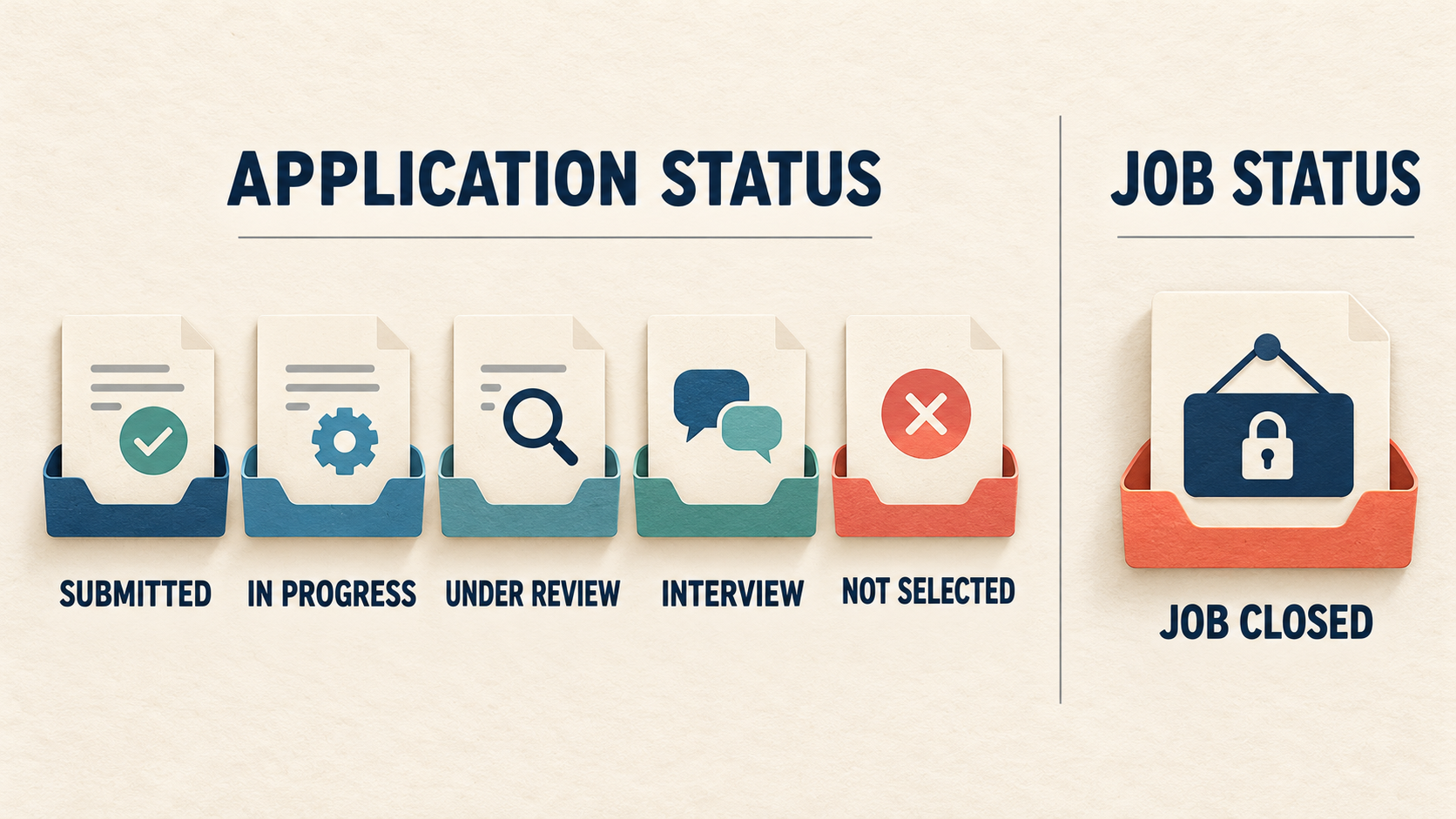
Translate each label into the smallest event it actually confirms.
The last distinction is especially easy to miss. Greenhouse documents that active candidates can remain active when a job is closed, even though its recommended employer workflow is to reject or move those candidates.[2] A disappeared posting may justify checking direct communications, but it does not supply a universal verdict by itself. The reposted-job guide applies the same discipline to listings that reappear.
"Under review" may hide several internal steps
Recruiting systems can assign different people to different review stages. Greenhouse, for example, separates an Application Review stage assigned to a recruiter from a Hiring Manager Review stage assigned to a hiring manager.[3] A candidate-facing phrase may not expose that internal distinction.
This is why reading emotional momentum into a wording change is unreliable. "Application received" becoming "under review" can confirm movement in a system without proving that you made a shortlist. A label that stays unchanged can coexist with internal discussion, a paused requisition, an overloaded reviewer, or no activity at all. The portal alone cannot tell you which explanation is true.
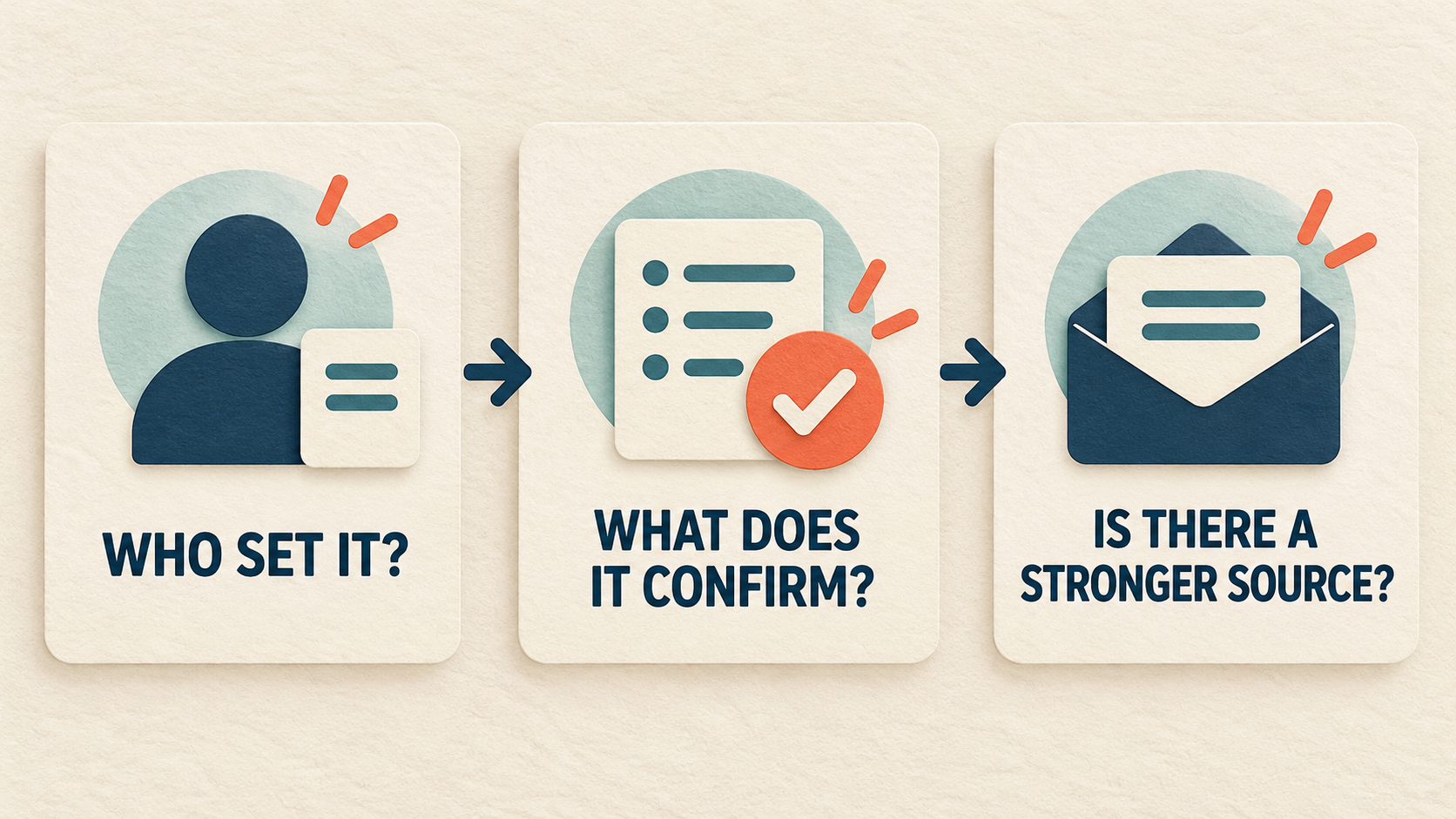
Use owner, event, and source to keep an ambiguous label in proportion.
Ask three questions whenever a status changes:
- Who set it? The employer, the platform, or you?
- What event does it confirm? Submission, review activity, contact, rejection, or a job-level change?
- Is there a stronger source? A recruiter email, interview invitation, rejection notice, or stated decision date beats a generic label.
Greenhouse's candidate portal makes the limits visible: employers choose whether to share application statuses, and some applications or updates may not appear there.[4] Absence of a visible update is therefore not evidence that nothing is happening.
Follow up from facts, not refresh frequency
Use the hiring team's stated timeline first. If a recruiter says decisions will go out Friday, wait until that date passes. If you complete an interview and receive no timeline, ask at the end when to expect the next update. If you discover material new information, such as a changed phone number or a portfolio link that was requested, send the correction promptly.
When there is no stated timeline and no new information, one concise follow-up is enough:
Hello, I applied for the [role] position on [date] and remain interested. Could you share whether there is an updated timeline for next steps? Thank you for your time.
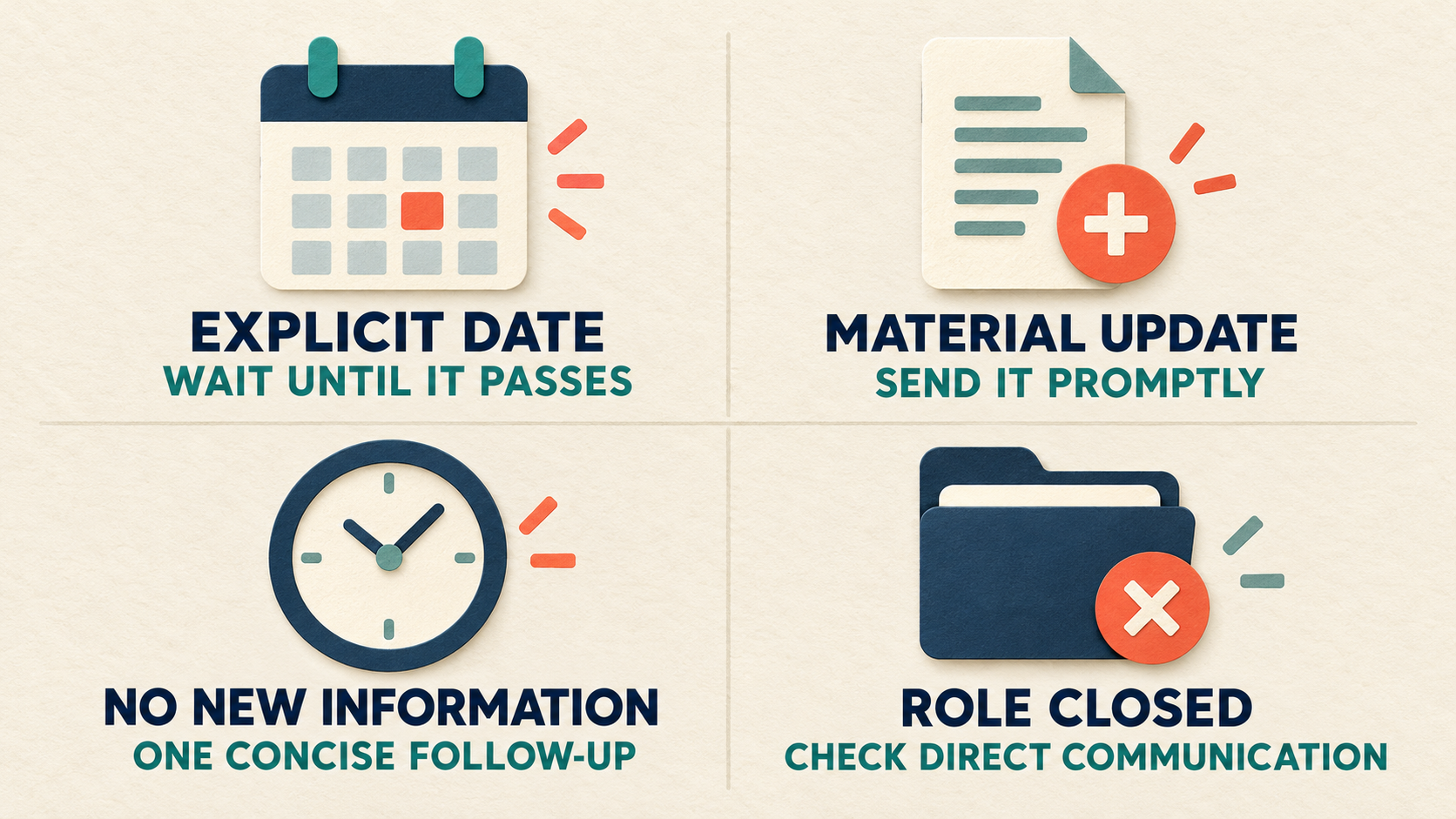
Base follow-up on a commitment or useful update, not on the number of portal refreshes.
Do not send repeated messages because a label has remained unchanged. After one appropriate follow-up, return attention to applications you can still influence.
Keep your own pipeline more useful than the portal
Track the employer, role, application date, source, resume version, contact, last action, stated next date, and your next step. Your tracker should distinguish "waiting until Thursday" from "no commitment, continue search." The high-fit application system shows how to keep qualified opportunities moving without treating raw application count as progress.
Before submitting the next strong-fit role, CoreCV can fine-tune a structured base resume against a pasted job description or job URL. Review every change against your real experience, then record which version you sent. The resume-tailoring frequency guide can help reserve deeper edits for roles that warrant them.
Follow the CoreCV Blog via RSS for weekly practical guidance on making technical value legible in an AI-shifting hiring market.
An application status can confirm that a system recorded something. It cannot convert uncertainty into odds. Keep the label narrow, trust direct communication over portal shorthand, follow up when a real date or useful update supports it, and keep building a search pipeline that does not depend on one ambiguous field.
Sources
1. Indeed Support, My jobs: Managing applied jobs: https://support.indeed.com/hc/en-gb/articles/4412589551757-My-jobs-Managing-applied-jobs
2. Greenhouse Support, Close a job: https://support.greenhouse.io/hc/en-us/articles/360025499691-Close-a-job
3. Greenhouse Support, Why do I not see my jobs in the applications to review section of my dashboard?: https://support.greenhouse.io/hc/en-us/articles/115004795826-Why-do-I-not-see-my-jobs-in-the-applications-to-review-section-of-my-dashboard
4. Greenhouse Support, MyGreenhouse FAQ for Candidates: https://support.greenhouse.io/hc/en-us/articles/43418495049499-MyGreenhouse-FAQ-for-Candidates