Your AI Portfolio Needs to Prove the Workflow Survives a Handoff
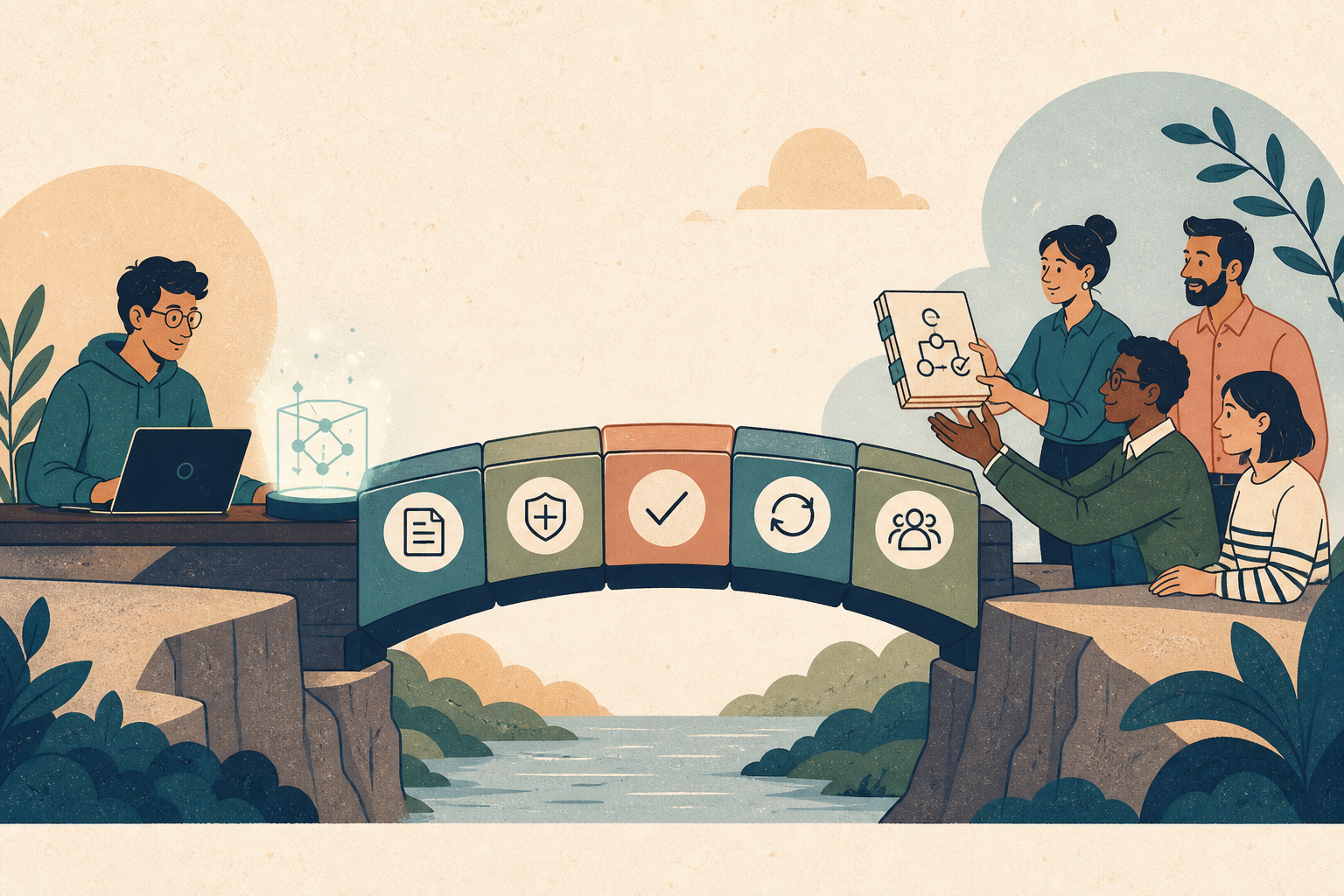
An AI demo can look extraordinary while being almost useless to a team. It works in its creator's account, with an undocumented prompt, a convenient dataset, and a sequence of corrections nobody recorded. The output is polished. The process disappears as soon as its author leaves the room. For a hiring team, a more useful career signal is whether another person can understand the system, run it inside clear boundaries, detect a bad result, and take responsibility for what happens next.
This shift is visible in how major AI tools are being taught and configured. An OpenAI Academy session published on August 6 moved beyond individual coding tasks into shared repository context, approvals, sandboxing, tool connections, reusable skills, automations, and worktrees.[1] Another session on longer-form work emphasized gathering context from several sources, reviewing and refining results, and turning repeatable processes into reusable skills.[2]
Those sessions are product guidance, not proof of a universal hiring rule. But they reflect a broader engineering pattern. GitHub now reads review instructions from the pull request's head branch and lets teams configure review setup through copilot-code-review.yml, alongside firewall and runner controls.[3] Microsoft recommends evaluating agents with representative prompts, explicit criteria, repeated runs, and environments that resemble real use.[4] The work around the model is becoming part of the product.
Your portfolio should catch up. A video of a successful run proves existence. A handoff-ready case study proves operating judgment.
The hidden weakness in most AI portfolio projects
Many AI case studies follow the same arc: here was a problem, here is the architecture, and here is the impressive result. The candidate may show a model diagram, a few screenshots, and a link to a repository. What the case study rarely explains is why the result deserved to leave the demo environment.
Could a teammate reconstruct the inputs? Were the instructions stored anywhere besides the author's chat history? What was the agent allowed to change? Which cases were tested? What happened when a tool timed out, a source was missing, or the output sounded plausible but was wrong? Who had authority to approve the action?
These are not enterprise-only concerns. They are how a reviewer separates a personal trick from a transferable capability.
Google's 2025 DORA research gives the team-level version of this lesson. Based on survey responses from nearly 5,000 technology professionals plus qualitative research, it found that AI tends to amplify the surrounding organization. Teams with clear workflows, strong internal platforms, automated testing, mature version control, and fast feedback loops are better positioned to turn increased change volume into value. Weak control systems can turn the same acceleration into instability.[5]
The candidate-side implication is practical. Present AI proficiency through the system of work you connected to the model and made available for another person to inspect.
A weekend project can demonstrate this judgment on a smaller scale, well before a production launch. The key is to expose the decisions that make transfer possible.
A handoff-ready project has five parts
Think of your AI project as a handoff packet with five components: context, boundaries, checks, recovery, and ownership. They apply to coding agents, research workflows, document systems, support tools, analytics assistants, and automations that act across services.
1. Context: make the private setup inspectable
Every system relies on context. The weak version lives in the creator's head: which source is authoritative, what vocabulary means, which exception matters, and what a good result looks like. The stronger version stores the minimum necessary context where collaborators can find and update it.
For a coding project, that might include repository instructions, architecture notes, commands, examples, and paths the agent should avoid. GitHub's July update is revealing because its code-review agent reads instruction files such as AGENTS.md, CLAUDE.md, and review guidance from the pull request's head branch. Teams can change the instructions and evaluate them alongside the code they affect.[3]
For a non-code process, context could be a source manifest, a schema, definitions for decision categories, two approved examples, and a record of exclusions. Make the system's assumptions visible with a selective context set rather than dumping every document into a context window.
In a portfolio, show one compact artifact:
- a checked-in instruction file with version history;
- a source map that names authoritative and prohibited inputs;
- an example input and expected output;
- or a decision note explaining which context was deliberately excluded.
This turns "I prompted it carefully" into evidence another person can inspect.
2. Boundaries: define what the system may do
An agent that can read, write, call tools, and send messages has a larger failure surface than a chatbot returning text. Team readiness begins with authority.
GitHub's Agentic Workflows launched with read-only permissions by default and preapproved safe outputs for write operations.[6] The exact implementation is product-specific, but the design principle travels: grant the workflow enough access to complete its bounded job, and create a separate decision point before a consequential action.
A candidate should be able to answer:
- Which files, records, or services could the workflow read?
- Which changes could it make automatically?
- Which actions required review?
- Which data was excluded for privacy, security, or relevance?
- What budget, time, or tool-call limit stopped runaway execution?
"Human in the loop" is too vague. Name the approval. A support assistant may draft a reply but never send it. A coding agent may open a pull request but never merge it. A research workflow may summarize approved documents but refuse to make a claim when the source trail is missing.
Boundaries make an AI project look more capable, not less. They show that you understand the difference between generating an option and owning a consequence.
3. Checks: test the work that people will actually use
Many portfolio projects report a score without explaining what was tested. A 92% result can mean very little if the dataset was tiny, the rubric was visible to the model, or the examples looked nothing like real use.
Microsoft's agent-evaluation guidance identifies six ingredients for a meaningful evaluation: representative prompts, accurate criteria, unambiguous criteria, multiple runs, a clean environment, and a representative environment.[4] The list is useful because it connects a number to a decision. An evaluation should tell the team what to fix, not merely decorate a case study.
For a candidate project, start with a modest evaluation set built around real variation:
- Write five to twenty scenarios that resemble likely use, including ordinary, ambiguous, and risky cases.
- Define what acceptable means before running the workflow.
- Separate the task instruction from the scoring rubric.
- Run variable components more than once when consistency matters.
- Record failures by category, not only as one average.
- Connect the result to a release or escalation decision.
A useful portfolio sentence is: "The workflow passed 18 of 20 reviewed scenarios; the two failures involved conflicting source dates, so I blocked automatic publication when sources disagreed." That tells a reviewer far more than "achieved 90% accuracy." It exposes the scenario, the failure mode, and the product decision.
4. Recovery: show what happens after the impressive path breaks
The demo path assumes the API responds, the document parses, the credentials work, and the model returns the expected shape. Real systems eventually encounter the other path.
Recovery evidence can be simple:
- a retry policy that distinguishes transient failure from bad input;
- an idempotency check that prevents duplicate writes;
- a saved checkpoint for a long-running task;
- a dead-letter queue or review bucket;
- a rollback or revert procedure;
- a rule for escalating an unfamiliar case;
- or an operator note that explains how to resume safely.
Choose the mechanism that addresses the failure most likely to matter if another person used the project tomorrow.
Then include the failure in the case study. Explain what broke, how you noticed, what state the system was left in, and what you changed. A candidate who can narrate recovery is showing that they stayed with the work after generation stopped being exciting.
5. Ownership: make the human responsibility legible
Transferability keeps ownership explicit while allowing it to move.
Name the people or roles involved. Who maintains the instruction set? Who approves a change to the evaluation cases? Who can authorize an external write? Who receives an escalation? Who decides the workflow should be retired?
On a solo project, describe the roles even if you held all of them. For example: "As builder, I changed prompts and code. As evaluator, I scored against a frozen set before looking at results. As operator, I reviewed every proposed external action." Separating those responsibilities demonstrates that you understand the controls a team would need.
Anthropic has recommended committing project instruction changes so other team members benefit from accumulated codebase knowledge.[7] The important career signal is operating knowledge that survives beyond one person's memory, regardless of the instruction-file format.
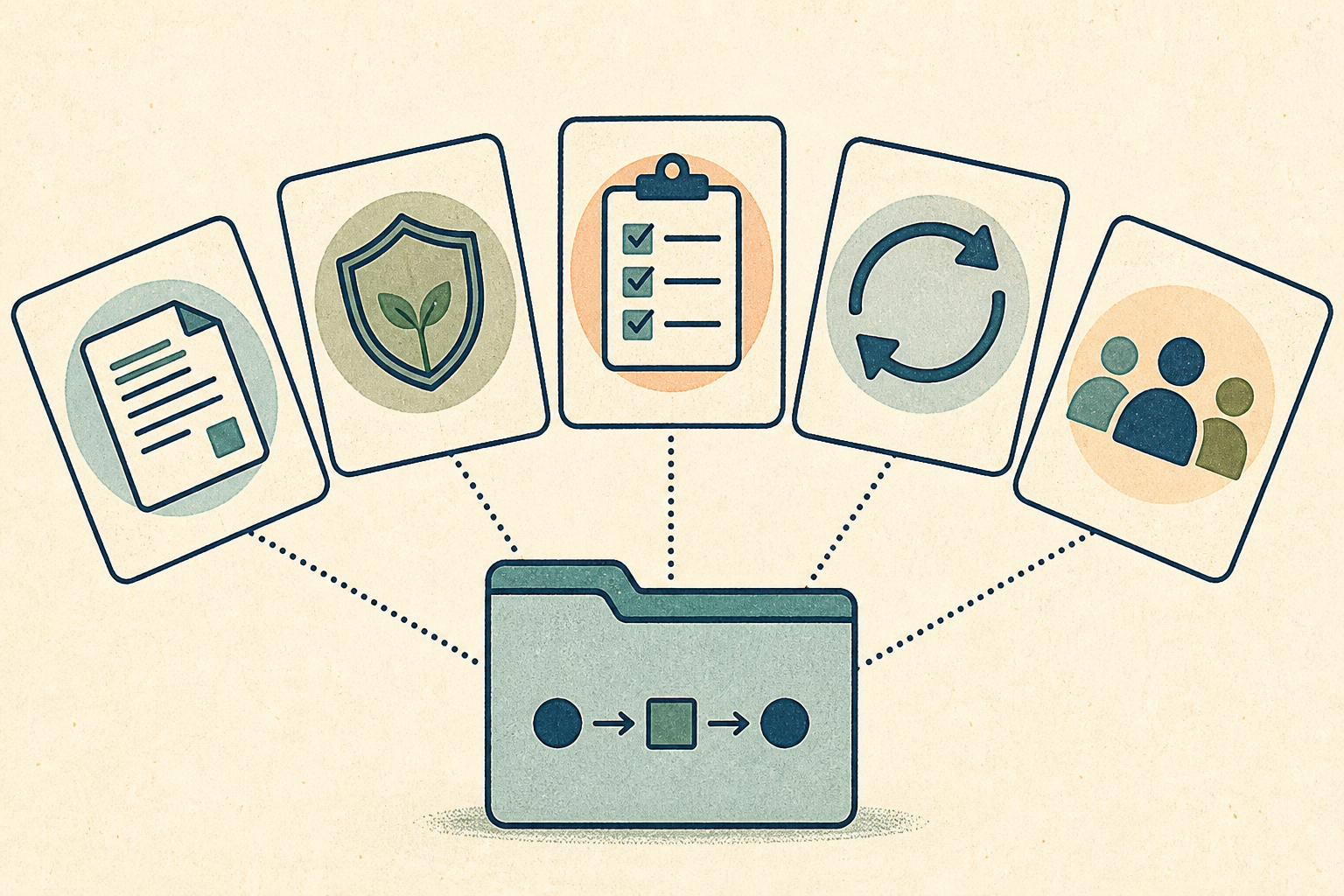 A handoff packet makes the workflow's context, authority, tests, recovery path, and human ownership inspectable.
From solo support demo to team-ready evidence
Consider a common portfolio project: an agent that reads incoming support tickets, assigns a category, drafts a summary, and recommends a runbook.
The solo demo is easy to make impressive. Feed it ten clean tickets. Show colorful labels. Highlight a fluent recommendation. Record a two-minute video.
Now imagine a support lead considering whether anyone else should use it. They will encounter different questions. Does the ticket contain personal information? Where did the categories come from? Are runbooks current? What happens when the ticket spans two incidents? Can the system invent a diagnostic step? Does it send anything? How does a support specialist correct it?
The handoff-ready version might look like this:
Context: A versioned taxonomy defines six supported categories, each linked to an approved runbook. The repository includes two positive examples and one ambiguous example per category. Customer identifiers are removed before processing.
Boundaries: The workflow can read sanitized ticket text and approved runbook titles. It can write a draft summary and category suggestion to a review queue. It cannot message the customer, change account data, or create an engineering incident.
Checks: A support specialist labels 40 historical tickets. The workflow is tested against the frozen set across ordinary, multi-issue, and unknown cases. The release criterion includes correct escalation of unknowns, not only category accuracy.
Recovery: Tool failures leave the ticket untouched and visible in the normal queue. Low-confidence and conflicting classifications route to manual triage. Every suggestion preserves a source link to the runbook.
Ownership: Support owns the taxonomy and release decision. Engineering owns runbook accuracy. The builder maintains the workflow and reviews failure clusters monthly.
The second project is not stronger because it contains more AI. It is stronger because a reviewer can see how the work fits into an organization.
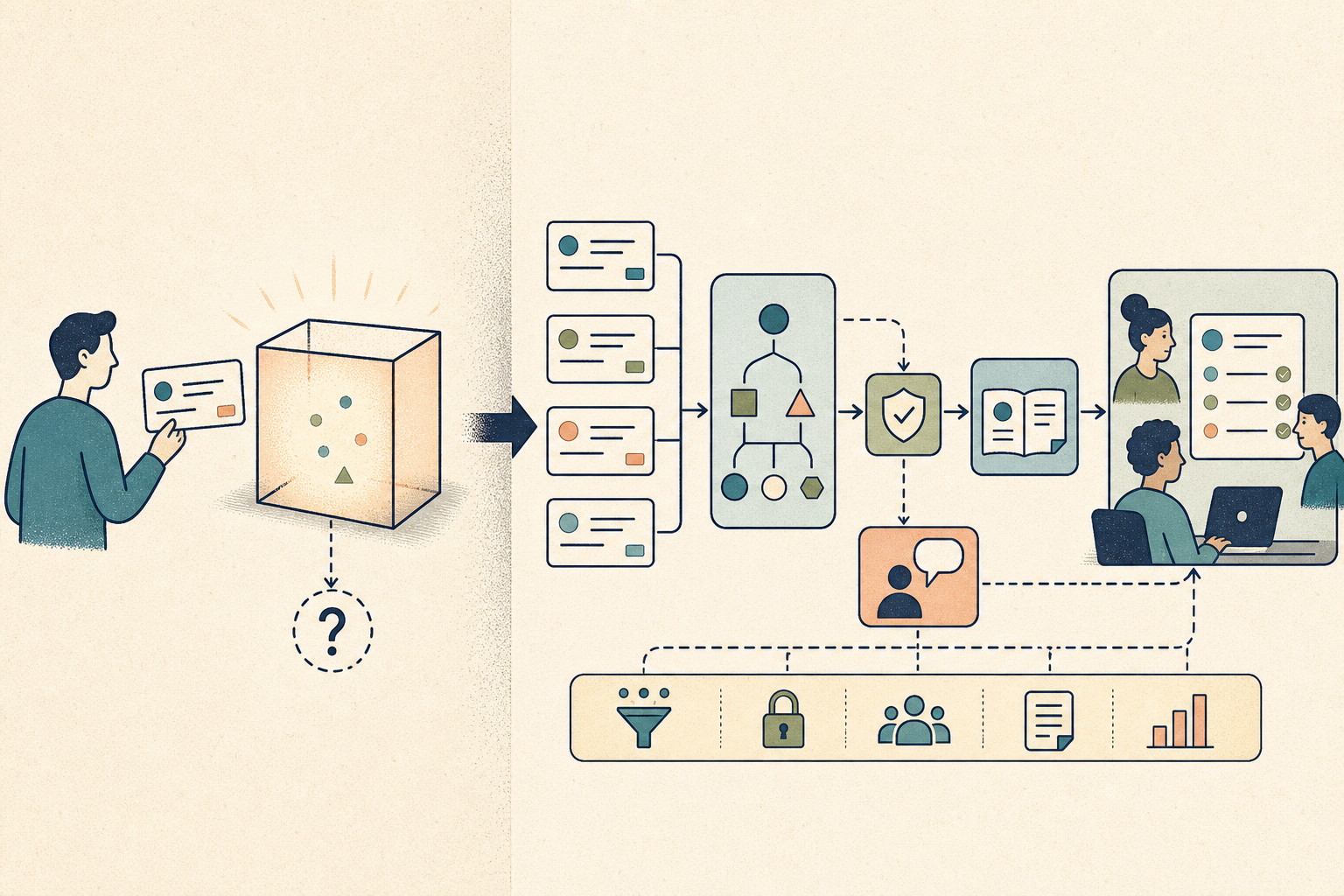 The team-ready version adds visible controls and review paths around the model's output.
What to put in the repository
A hiring manager should not need to reverse-engineer your entire project. Give them a short path through the evidence.
Start with a README that states the real problem, the intended user, the workflow's authority, and the most important limitation. Add an architecture or sequence diagram only if it clarifies a decision. Link to the instruction or configuration file rather than pasting a giant prompt into the README.
Then include a small evidence folder:
evidence/
  scenarios.md
  evaluation-summary.md
  known-failures.md
  handoff-runbook.md
scenarios.md can describe representative cases without exposing private data. evaluation-summary.md should show criteria, result categories, and what changed because of the findings. known-failures.md signals honesty and gives you material for interviews. handoff-runbook.md explains setup, normal operation, stop conditions, and recovery.
For a private project, create a sanitized case study with the same structure. Confidentiality constrains the artifact while leaving room to explain the type of input, the boundary, the evaluation method, and the outcome without revealing proprietary content.
This builds on how to show AI projects without looking like you only pressed a button. The next level of proof is that somebody else could operate the work without depending on your private prompt history.
How this evidence belongs on a resume
A resume cannot hold the full handoff packet. It should point to the strongest parts: the workflow's purpose, your operating decision, the adoption or outcome, and one trust mechanism.
Weak:
Built an AI agent to automate support ticket classification using an LLM.
Stronger:
Built a reviewed support-triage workflow with versioned categories, source-linked runbook suggestions, and confidence-based escalation, enabling the support team to adopt AI-assisted first-pass routing without automated customer actions.
Weak:
Used coding agents to ship features 3x faster.
Stronger:
Introduced a repository-guided coding-agent workflow with branch-scoped changes, required tests, and pull-request review, shortening implementation cycles while preserving team ownership of merge decisions.
Weak:
Created an autonomous research agent for market analysis.
Stronger:
Built a source-bounded research workflow that logged citations, routed conflicting evidence for review, and produced repeatable weekly briefs used in product planning.
The revised bullets avoid model-name theater. They describe the system a colleague could understand and the decision the human still owned.
If you are targeting more than one role, the evidence emphasis may change. A platform role may care about permissions and observability. A product role may care about adoption and decision quality. A developer-experience role may care about setup time and instruction design. CoreCV's role-targeted resume workflow can generate a role-focused version and fine-tune it against a job description or job URL. Keep the underlying facts fixed, then select the proof that matches the role's actual responsibilities.
This is also where internal tools become credible career evidence: adoption, constraints, and a changed team workflow usually matter more than novelty.
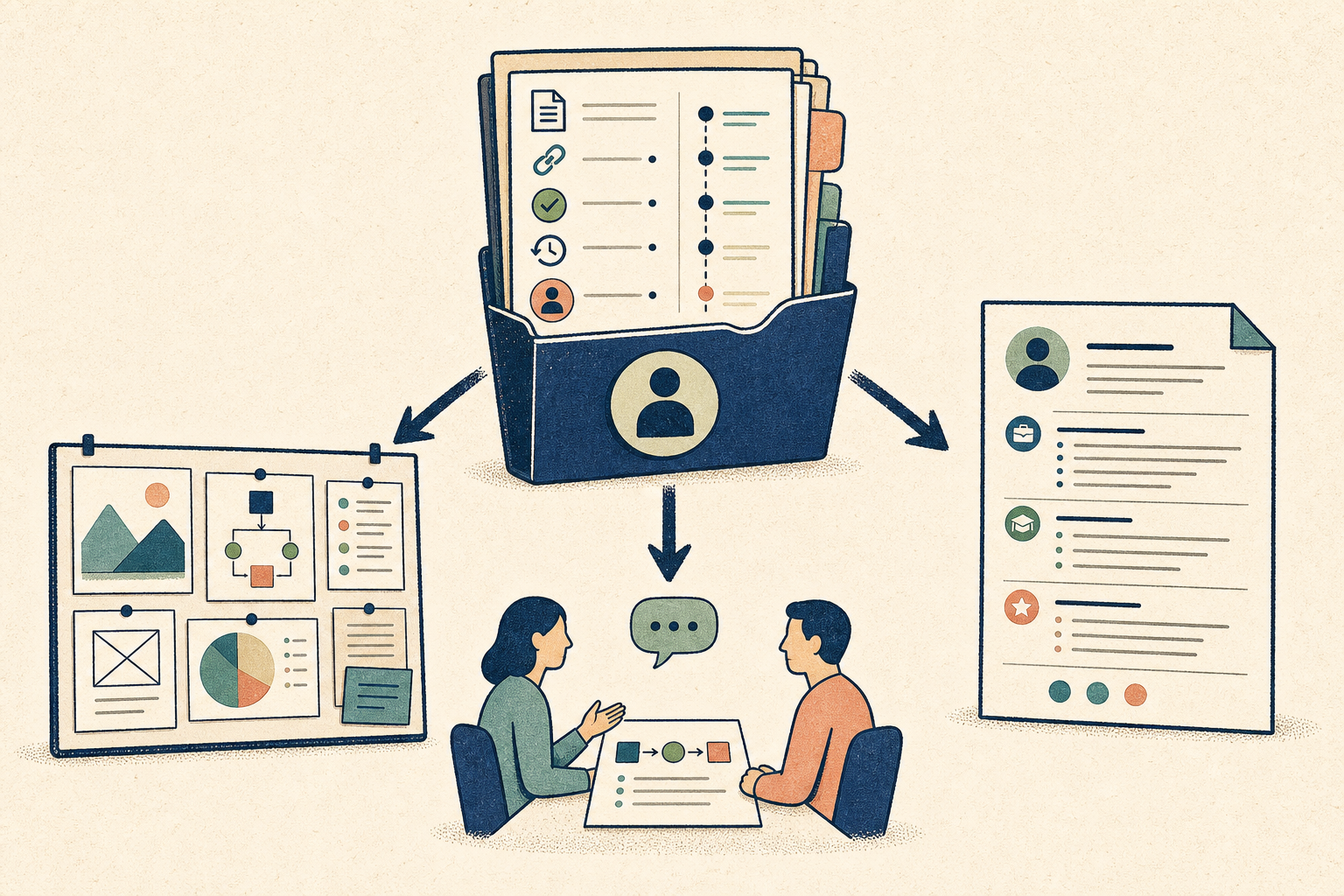 Keep the evidence consistent while changing the level of detail for the portfolio, resume, and interview.
How to explain the project in an interview
Open with the transfer problem before walking through the interface.
A concise version might sound like this:
The first prototype worked, but only I knew which sources it trusted and how to recover when a classification was ambiguous. I treated that as the real problem. I moved the taxonomy and examples into versioned files, limited the workflow to draft suggestions, built a reviewed scenario set with unknown cases, and wrote a short operator runbook. Support then tested it without me driving. Their corrections exposed two overlapping categories, so we revised the taxonomy before adoption.
That story contains technical work, collaboration, a failure, and a decision. It also gives the interviewer several useful directions to explore.
Expect questions such as:
- What knowledge remained undocumented?
- How did you choose the evaluation cases?
- Which failure would have caused the most harm?
- What did users change after the handoff?
- Which decision did you keep manual, and why?
- What would need to change before wider deployment?
Strong answers acknowledge limits. If only one teammate tested the runbook, say so. If evaluation was manual, explain why that was appropriate at the project's scale. If the workflow never touched production, distinguish demonstrated design judgment from production operating experience.
The same habit helps in technical interviews more broadly: explain tradeoffs and rejected options, not just wins.
A seven-day handoff upgrade for an existing project
Upgrade the strongest AI project you already have by making its operating knowledge transferable.
Day 1: Write the authority statement. In five sentences, define who the workflow serves, what it may read, what it may change, what requires approval, and what it must never do.
Day 2: Extract hidden context. Move the essential source rules, examples, commands, schemas, and exclusions from your head or chat history into versioned project files.
Day 3: Build representative scenarios. Choose ordinary, ambiguous, and risky cases. Define acceptance criteria before rerunning the project.
Day 4: Force one failure. Remove a source, break a tool response, provide malformed input, or trigger a conflicting instruction. Record the state left behind and design a safe recovery path.
Day 5: Ask someone else to run it. Observe where the instructions fail and let the person work through each gap before you intervene. Their confused moments are the transfer findings.
Day 6: Revise the case study. Lead with the problem and the decisions that made transfer possible. Add the evaluation summary, known limitations, and one recovery story.
Day 7: Align the career formats. Rewrite one resume bullet and prepare a two-minute interview story using the same facts. Link the portfolio evidence where appropriate.
At the end of the week, you may have added very little model code. That is fine. You have made the work easier to trust.
What this signal establishes, and its limits
A handoff packet proves a candidate has thought about transfer and operation. Production scale, security certification, broad user adoption, and deep domain expertise each require separate evidence, so keep the project's claims within the scope of what you tested.
Early exploration can stay messy and personal. The career opportunity appears when you show that you recognized the moment the experiment needed to become inspectable, without pretending every prototype needs a platform team.
This distinction matters for candidates whose AI use is expanding into adjacent work. As last week's AI Career Signals article explained, a borrowed task becomes credible through boundaries, judgment, verification, and sustained evidence. A successful handoff is one of the clearest forms of sustained evidence because it shows the capability survived outside the creator's session.
The output gets attention. The handoff earns trust.
AI makes it easier to produce a convincing first result. That shifts the scarce evidence toward everything required after the first result: shared context, bounded authority, representative checks, recovery, and ownership.
Your next portfolio improvement may be a repository instruction another person can update, an evaluation case that catches a failure, a permission you deliberately withheld, or a runbook that lets a teammate continue without you. Each can say more about team readiness than another model upgrade.
Those artifacts show that you can turn personal AI fluency into team capability.
For one practical signal each week, follow the AI Career Signals archive. The series focuses on what changed, what the evidence actually supports, and what technical candidates can do with it.