Most Technical Portfolios Are Proof-of-Existence, Not Proof-of-Work
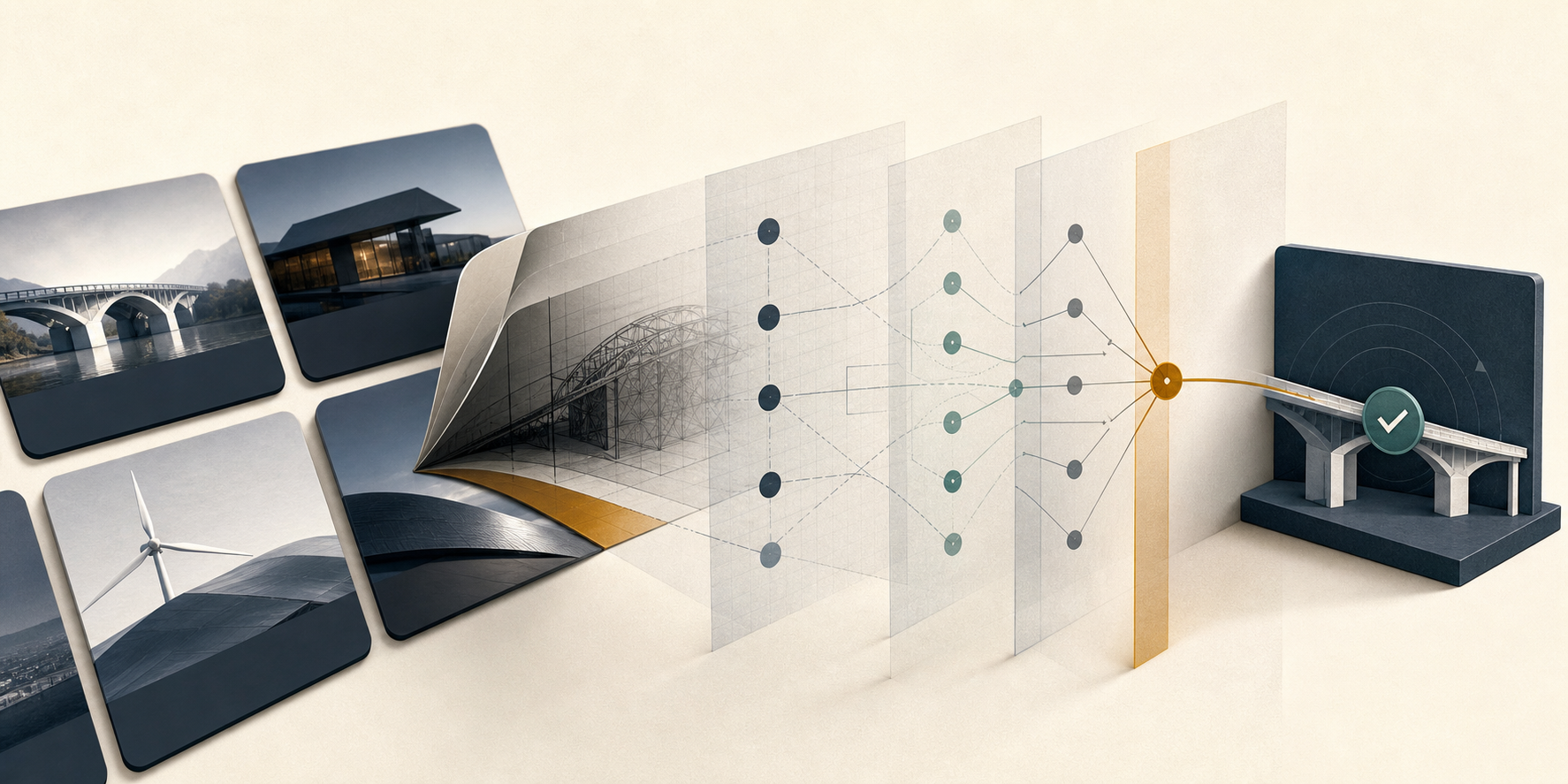
Most technical portfolios prove that a project exists. There is a screenshot, a stack, a demo, and perhaps a repository. None of those automatically prove that the candidate diagnosed the right problem, made a consequential choice, or learned from the result. Strong technical portfolio examples make judgment inspectable. They show why the work took its final form and which parts of that form belong to you.
A gallery leaves the hardest question unanswered
A screenshot proves that an interface rendered. A repository proves that code was stored. A hiring manager still has to infer what you understood, what you owned, and whether you can make a reasonable decision under pressure.
That gap gets wider when polished output is cheap to produce. The useful signal is no longer simply, "I made a thing." It is the decision trail behind the thing: the constraints you noticed, the alternatives you rejected, the compromise you accepted, and the evidence that changed your mind.
GitHub recommends that a README explain what a project does, why it is useful, and how someone can get started.[1] That is a good project baseline, but a hiring portfolio has another job: help an unfamiliar reader evaluate your contribution. Supply the missing context that makes your judgment understandable.
Build a five-part decision trail
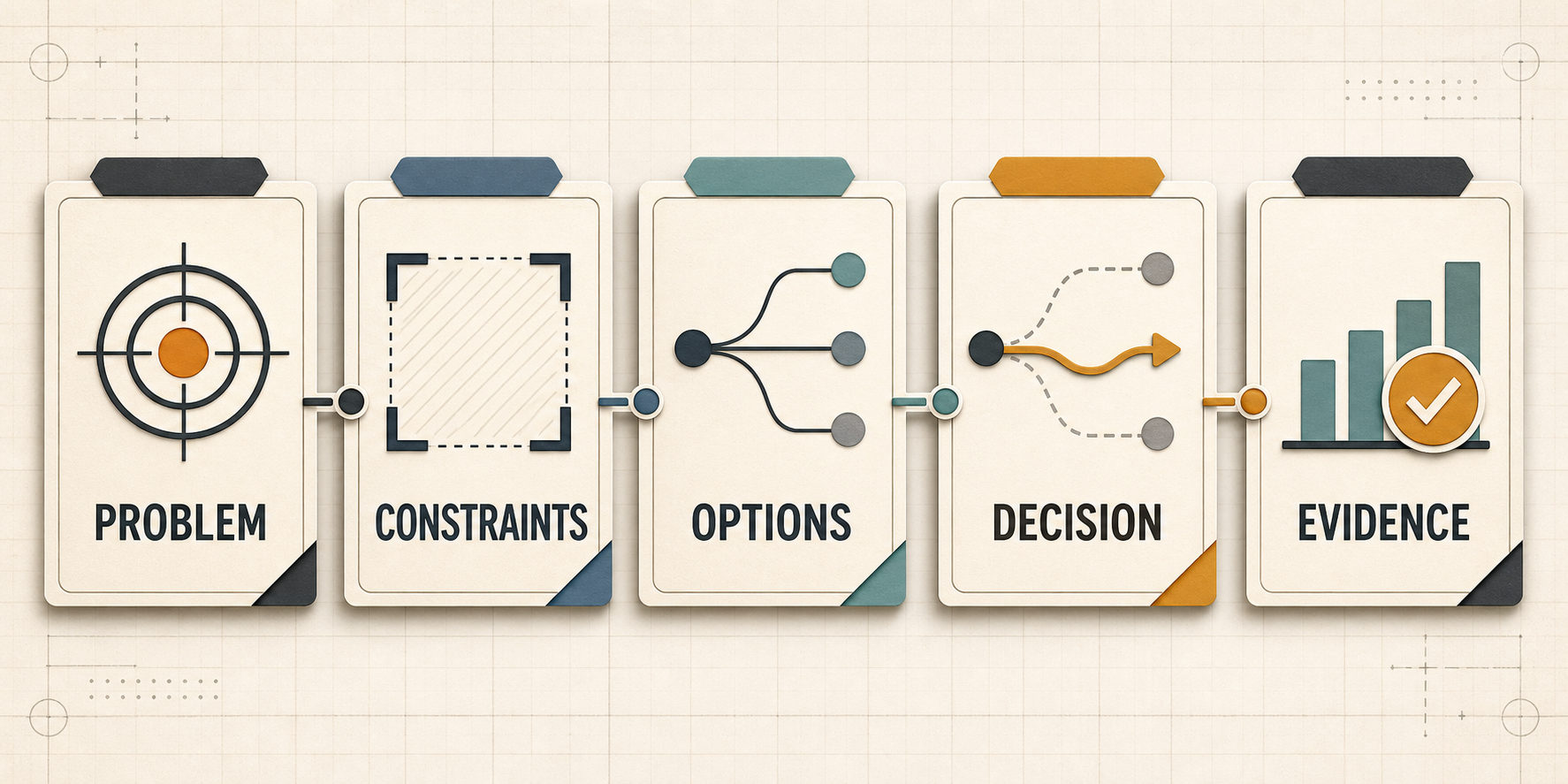
A strong case study lets the reader follow one consequential choice from context to evidence.
You do not need a memoir for every project. Use one compact sequence:
- Problem: Name the specific user, operational, or technical failure. "Built a task manager" is a category. "Reduced missed handoffs for a volunteer team working across three time zones" is a problem.
- Constraints: State what bounded the solution: latency, cost, privacy, accessibility, an inherited API, a short deadline, or your actual project scope.
- Options: Identify two or three credible paths. The rejected options prove that the final approach was chosen rather than discovered by accident.
- Decision: Explain why you selected one path and what downside you accepted. Microsoft recommends recording context, options, outcomes, and tradeoffs so others can evaluate whether a decision still applies.[2]
- Evidence: Show how you tested the choice. Use a benchmark, usability observation, error log, before-and-after trace, adoption pattern, or a specific failure that caused a revision.
This structure works across technical disciplines. The evidence changes; the need to expose reasoning does not.
Turn one weak project card into a case study
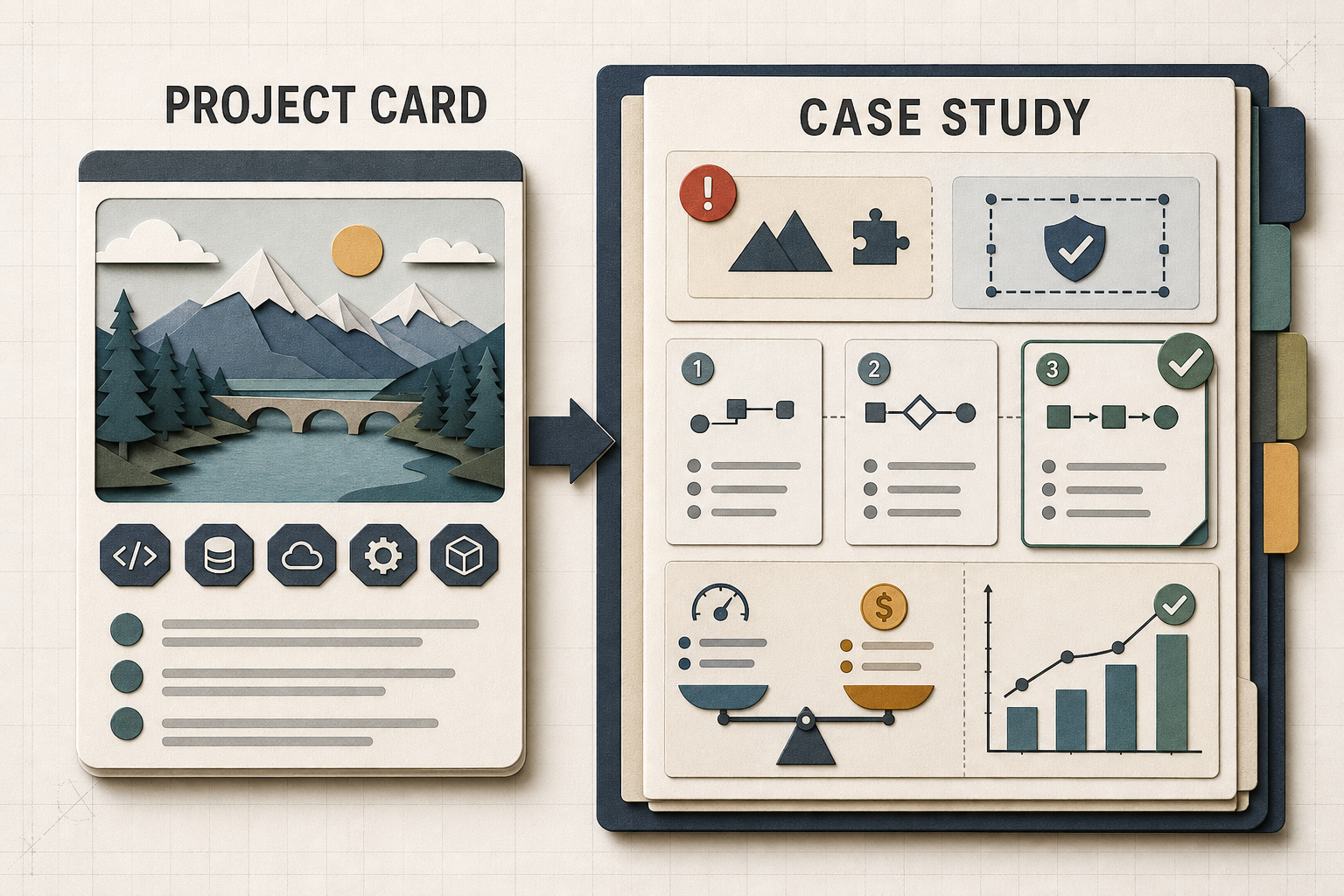
More detail is not the goal. More decision-relevant detail is.
Consider this common entry:
Realtime analytics dashboard
Built with React, Node.js, PostgreSQL, and WebSockets. Includes charts, filters, authentication, and responsive design.
The entry inventories components. It never explains why WebSockets were appropriate, what scale or freshness mattered, or what the candidate personally decided. A stronger version could read:
Realtime operations dashboard
Dispatchers were refreshing a status page during high-volume periods, but the source system allowed only 60 requests per minute. I introduced a gateway that polled the source once per second and cached the latest state, then compared short polling, server-sent events, and WebSockets for delivery from that gateway to browsers. I chose server-sent events because updates were one-way and reconnect behavior was simpler. A 30-second browser polling fallback read the same cache on restricted networks, so adding viewers did not add upstream requests. A simulated 200-client test held median update delay below two seconds while the single upstream poller stayed within the request budget. Load-test script, architecture note, and failure screenshots are linked below.
That version gives the reader useful decisions to probe. What happened during reconnects? Why was two seconds acceptable? Questions create a technical conversation grounded in work you can defend.
Remove decoration that competes with evidence
Audit each case study with a ruthless rule: if an element does not clarify the problem, your contribution, a decision, or its result, it is probably taking attention from stronger proof.
Remove repeated screenshots, unexplained technology badges, feature inventories duplicated from the README, dead demo links, generic claims such as "scalable," and origin stories with no bearing on a technical choice. Keep an image when it reveals behavior and an artifact when it exposes your reasoning.
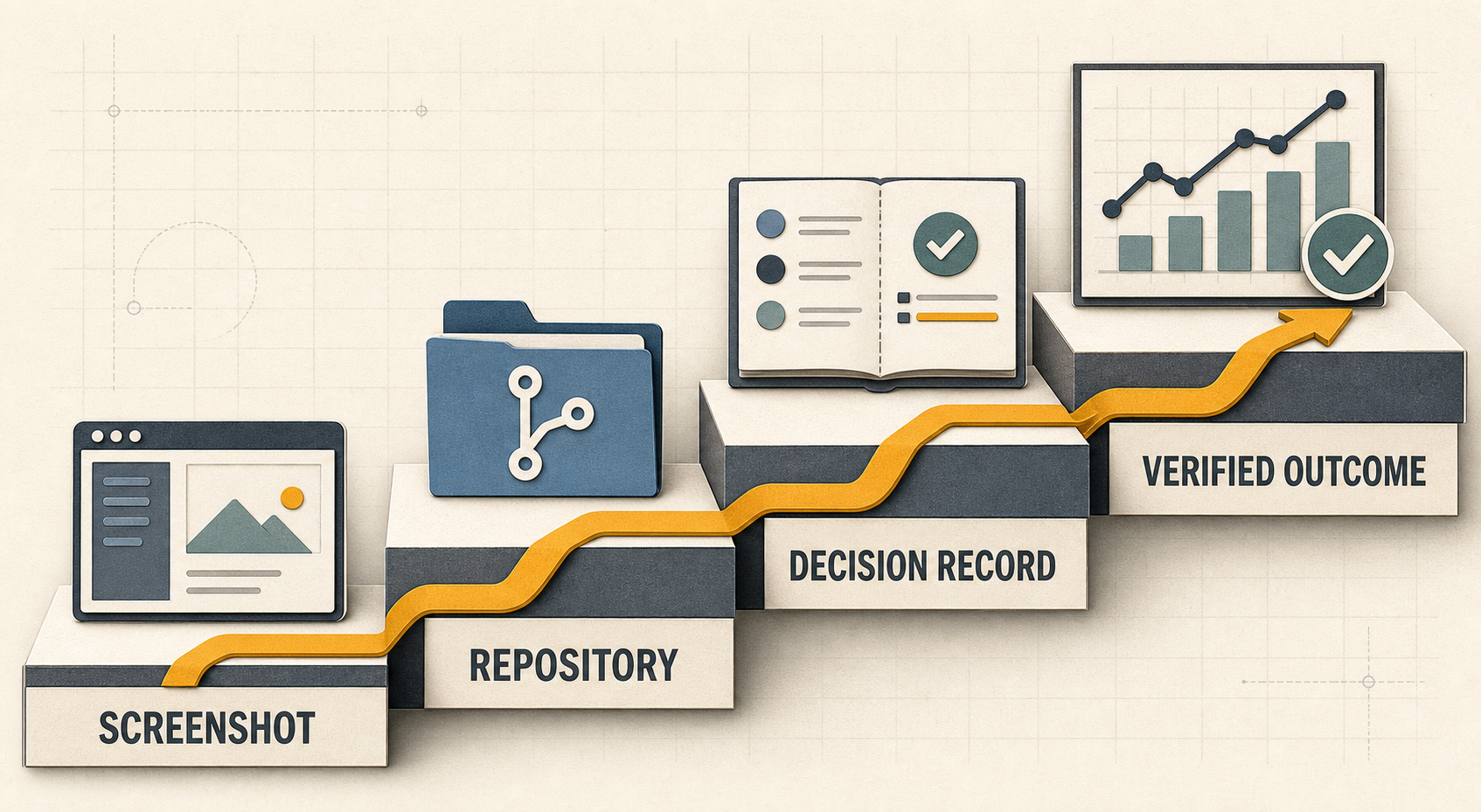
Move beyond visible output by connecting the artifact to reasoning and a checkable result.
Private or discontinued work can still be useful. Redact sensitive details, recreate a representative artifact, or describe the decision without publishing proprietary code. If you worked with others, label team scope and your contribution separately.
Make the resume and portfolio reinforce each other
Your portfolio and resume should tell the same evidence-based story. A resume bullet can state the problem, contribution, and result; the portfolio can unpack the decision trail. See how to list personal projects on a technical resume and when GitHub belongs on your resume before linking every repository.
Once the case study is honest and specific, use CoreCV to carry the same problem, contribution, and evidence into a structured projects section, then fine-tune that resume against a relevant job description or job URL. The goal is consistency, not copying the full case study into a crowded page.
A portfolio website can look polished without giving the reader anything useful to infer. Start with one project, expose one consequential decision, and link the artifact that best supports it. That small case study is more persuasive than six glossy cards because it demonstrates how you work when the answer is not already obvious.
For future practical guidance on presenting projects, GitHub work, and technical evidence, subscribe to the CoreCV Blog RSS feed in your feed reader. You can also browse the portfolio archive now.
Sources
1. GitHub Docs, About the repository README file: https://docs.github.com/en/repositories/managing-your-repositorys-settings-and-features/customizing-your-repository/about-readmes
2. Microsoft Azure Well-Architected Framework, Maintain an architecture decision record (ADR): https://learn.microsoft.com/en-us/azure/well-architected/architect-role/architecture-decision-record